How to Print
Receiving:
Retrieving your download is straightforward. Once you purchase a digital product, you can typically access the download link in a few locations: on the order confirmation page, in the confirmation email you receive, or by logging into your Amora V account, and the downloads will show in your account under My Account.
Printing:
To print a digital download, follow these steps:
1. Locate and Open the File:
– Find the Downloaded File: Check your computer for the file after downloading. It will usually be in your Downloads folder or the location you chose to save it.
– Open the file: Depending on the file type (such as PDF, JPG, or PNG), open it using the correct application.
2. Print the File:
– Use the Print Option: With the file open, navigate to the File menu and choose Print. Alternatively, you can use the keyboard shortcut Ctrl+P (Windows) or Cmd+P (Mac).
– Choose Your Printer: Select the printer you wish to use from the dropdown menu.
– Adjust Settings (Optional): If necessary, you can modify settings like paper size, orientation (portrait or landscape), and print quality.
– Click Print: After making your selections, press the Print button to begin printing.
Get Access to the Vault
Unlock unlimited access to all our digital downloadable products at a low price! Experience the convenience of having a vast library, allowing you to explore various resources, from challenges and printables to exclusive content.
Learn More
#section_1155082644 { padding-top: 60px; padding-bottom: 60px; background-color: rgb(209, 152, 64); } #section_1155082644.section-bg-overlay { background-color: rgba(255, 255, 255, 0.238); }
Common Questions & Answers
Below are some of the most common questions that we receive. If you have any questions, please feel free to reach out to us, and we will be happy to assist.
Why Does Title Say Low-Resolution Sample? Is that What I Will Receive?
The label “Low-Resolution Sample” indicates that we display a low-resolution image as the primary product image on our shop page to protect the image from being copied or misused. Once your purchase is complete, you’ll receive a stunning high-resolution version of the image.
When Will I Receive My File?
Your file should arrive in your email right away. If you don’t see an email from us, please check your spam folder. You can also find the file in the downloads tab on your account page. If you encounter any issues with the file or don’t receive the file after a few hours, feel free to reach out to us at amoravlifestyle@gmail.com, and we’ll be happy to help.
Can you provide a complete list of bullet points from this document?
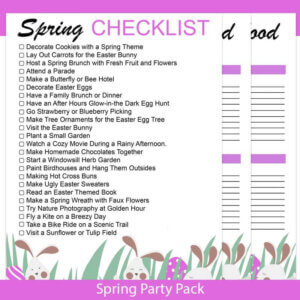
This list does not contain pointers, just lines where you can write in the names of the guests you wish to attend your Easter Party!
Fully Secure with a 30 Day Return Guarantee
Family Owned
Secure Checkout
Located in USA