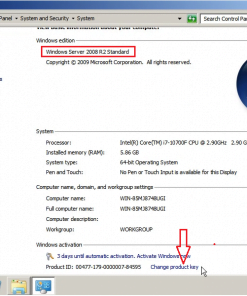
This product is not compatible with Mac operating systems.
Because I live in Vietnam, so when you order, it may be midnight in my country. Please wait. After 1 day you don’t receive the product key, you can send an email to me: ptolemyhp@gmail.com
With this MS Project Professional 2019 license key, you can activate your Microsoft Project Professional 2019.
This is a lifetime 1 PC key, it means that you will not pay again in the future.
It is NOT a physical product, DVD, CD or USB. I will send a digital product key and a download link to your email.
If you have questions please send an email to me: ptolemyhp@gmail.com
How to use MS Project Pro 2019 product key (bind mail) to activate Project Pro 2019
Step 1: You go https://setup.office.com/ and create an account
Step 2: You log in your account and paste the MS Project Pro 2019 product key
Step 3: You select Country => Next
The product key will bind to your email. (you can’t change email after you bind the key to your email and license of Office 2021 will go with this email)
Step 4: You go here to download Project Pro 2019: https://account. microsoft.com/services/
Note if you installed Office 2021, you can skip step 4 and step 5
Step 5: You install MS Project Pro 2019
Step 6: You sign-in your email you binded the Project Pro 2019 key you created at step 1 to activate Project Pro 2019
If you want to transfer Project Pro 2019 license from old pc to new pc, you log out your email from Project Pro 2019 of old pc and sign in it to Project Pro 2019 of new pc.
MS Project Professional 2019 system requirements
- CPU: 1.6 gigahertz (GHz) or faster, 2-core
- RAM: 2 GB RAM (32-bit), 4 GB RAM (64-bit)
- Graphics: DirectX 10 graphics card for graphics hardware acceleration
- HDD: 4 GB available disk space
- Operating system: Windows 10, Windows Server 2019
- Display: 1280 x 768 screen resolution
Tag: Microsoft Project Professional 2019 Product Key