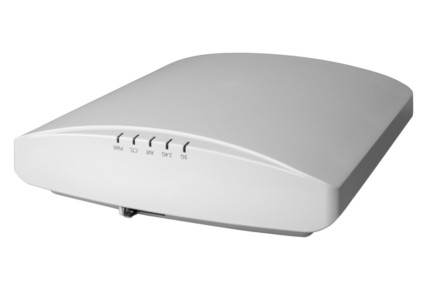
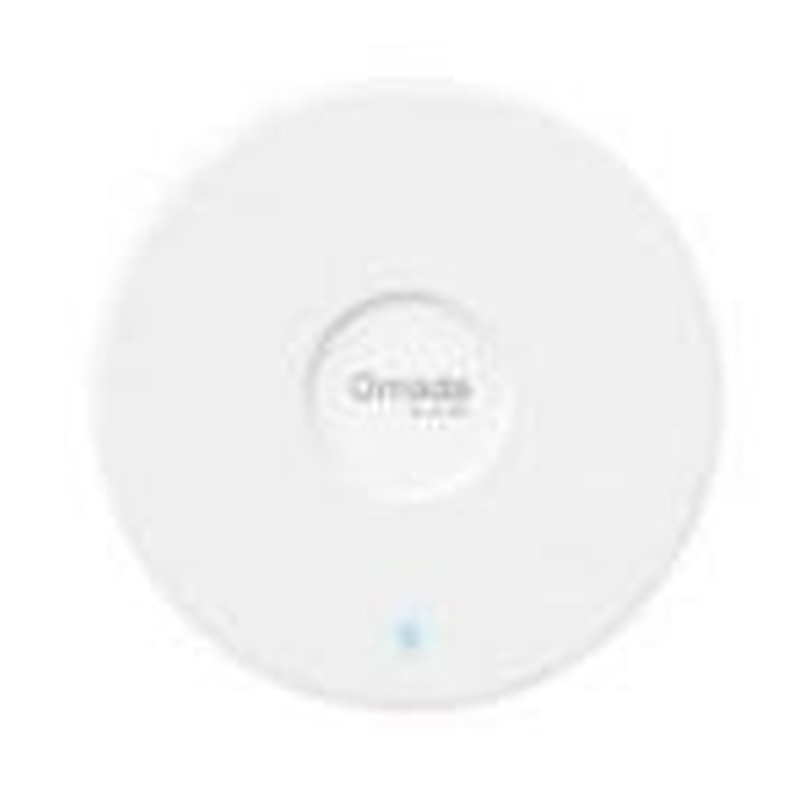
TP-Link Omada EAP720 BE5000 Wi-Fi 7 Access Point

TP-Link Omada EAP720 BE5000 Wi-Fi 7 Access Point

No reviews at this store yet

₱8,960.00 about $140.59

In stockPrice watched for 6 days

Not shipped to United States, by the store's policyDetails

0cean adds $0. You pay Checkwayelectrotechph on its own site.

CheckwayelectrotechphIndependent store · checkwayelectrotechph.comStore page

Price and stock as Checkwayelectrotechph showed them Nov 29, 11:16 AM UTC.

Brand
TP-Link
Warranty
60 months
Series
Omada
All 5 characteristics

Ask about this product

About this product

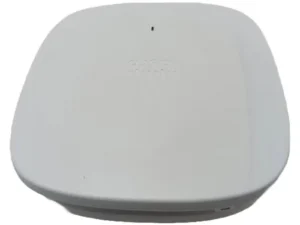
Omada BE5000 Ceiling Mount Dual-Band Wi-Fi 7 Access Point. 60-month manufacturer warranty. VAT-inclusive price PHP 8,960.

The TP-Link Omada EAP720 is TP-Link’s Omada BE5000 Ceiling Mount Dual-Band Wi-Fi 7 Access Point. Checkway Electrotech supplies it in the Philippines with a 60-month manufacturer warranty and a VAT-inclusive price of PHP 8,960.

About the TP-Link Omada EAP720

This listing covers the Omada EAP720 from the TP-Link Omada range. Specifications on this page follow the TP-Link Philippines price list. For the full datasheet, see the TP-Link Philippines website, then compare it with other models in our IT Equipment category.

TP-Link Omada EAP720 Key Specifications

Features Explained

  • MU-MIMO MU-MIMO serves several Wi-Fi clients at the same time instead of one after another.
  • Seamless Roaming Seamless roaming lets clients move between access points without dropping connections.
  • Band Steering Band steering pushes capable devices onto the less crowded 5 GHz band.
  • Beamforming Beamforming directs the Wi-Fi signal toward connected clients.
  • Load Balance Load balancing spreads traffic across more than one WAN connection.
  • MLO Multi-Link Operation (MLO) lets Wi-Fi 7 devices use more than one band at once.
  • Centralized Management by Omada SDN Controller Centralized management through the Omada SDN Controller lets you configure and monitor Omada devices from one dashboard.
Show allShow less
  • Omada App The Omada app gives you mobile access for setup and day-to-day monitoring.

The TP-Link Omada EAP720 also supports: 802.3at POE+ and 12V DC, 4×Internal Antennas, 4 Streams, 240MHz Supported, Airtime Fairness, 4K-QAM.

Where to Use the Omada EAP720

A ceiling-mount access point provides managed Wi-Fi for offices, schools, hotels and clinics, and works with the Omada controller for roaming and central settings.

Power the unit from a PoE+ port, plan the access point positions with a site survey and place it where coverage matters most.

How to Choose the Right Model

Choosing a Wi-Fi or gateway product starts with the number of users, the internet connections you have and the coverage area. Business models add central management, VLANs and VPN features that home routers lack.

Deployment checklist

  • Survey the site and place the unit where coverage is needed most.
  • Check the power source, PoE or adapter, before you mount the unit.
  • Plan the SSIDs, VLANs and security settings in advance.
  • Use the Omada controller or the web page to apply the same settings on every unit.
  • Test the signal at the farthest points of the coverage area.
  • Keep the firmware up to date once the network is live.

Complete Your TP-Link Omada EAP720 System

A reliable wireless network combines the access point or gateway with a PoE switch, quality cabling and a controller. Checkway can supply the whole network and plan the layout.

Common Mistakes to Avoid

  • Placing the unit behind metal or inside a closed cabinet.
  • Skipping a site survey and relying on a guess for coverage.
  • Running every device on one open network without VLANs.
  • Powering the unit from a source that does not meet its requirement.
  • Leaving the default admin password unchanged.

Care and Maintenance

Review the client list and signal levels from time to time, and update the firmware after you read the release notes. Keep a copy of the settings so a replacement unit can be configured quickly.

Warranty, Pricing and Support

The TP-Link Omada EAP720 carries a 60-month manufacturer warranty. The price shown includes 12% VAT. Checkway Electrotech is based in Tagum City, Davao del Norte, and serves homes, businesses and government offices across the Davao Region. The business is led by a senior electrical engineer with more than 30 years of experience in industrial and infrastructure projects, so you can ask us for help with system design, cabling, power and installation planning for CCTV, access control, networking and solar projects.

Omada EAP720 FAQs

How long is the warranty on the TP-Link Omada EAP720?

It has a 60-month manufacturer warranty.

Is the Omada EAP720 price VAT inclusive?

Yes. The listed price includes 12% VAT.

Can Checkway help me plan an installation with the TP-Link Omada EAP720?

Yes. Send us your site details and we will recommend a suitable layout, cabling and accessories.
In Checkwayelectrotechph's own words. See it at Checkwayelectrotechph

Delivery and returns

Delivery

Not shipped to United States

Checkwayelectrotechph's policy does not list United States among the countries it ships to. Ships to the Philippines only · 9–13 business days · free over PHP 10,000 · cost shown at checkout.

The store's shipping policy

Returns

30 days to return · you pay to send it back

Return & Refund Policy Return Window We accept returns within 30 days of receipt for defective, damaged, or incorrect items.

Some products cannot be returned.

The store's returns policy

Payment

You pay Checkwayelectrotechph directly

On the store's own checkout, with the ways to pay it offers. 0cean adds $0 to the price and never holds your money.

Similar from other independent stores

In the open order every answer uses: what is in stock and priced in your currency first. No store pays for a place. A price in another currency is shown in USD at today's rate; you pay the store's own price.

More from Checkwayelectrotechph

Everything Checkwayelectrotechph sells