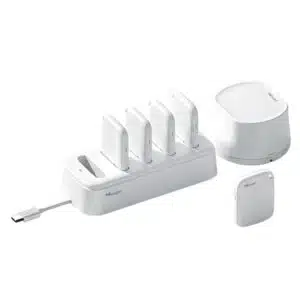
UC711 is ideal for HVAC control in hotels, commercial buildings, offices, apartments, and other facilities using compatible 24VAC HVAC equipment.
Important UC711 is designed for 24VAC HVAC systems only. Do not connect the controller to high-voltage or high-current systems.
Smart HVAC Control with LoRaWAN®
Connect compatible HVAC equipment to LoRaWAN networks for centralized monitoring, remote control, and BMS integration.
24VAC HVAC Control
Supports PTAC systems up to 2H/1C, AC and furnaces up to 1H/1C, and heat pumps up to 2H/1C.
WT401 Integration
Pairs wirelessly with the Milesight WT401 thermostat through Bluetooth for room temperature monitoring and HVAC control.
LoRaWAN® & BMS
Connects through standard LoRaWAN® networks and supports BACnet/IP BMS integration through compatible Milesight gateways.
PTAC Thermostat Kit:
UC711 Smart HVAC Thermostat & WT401-Flat-FL Wireless Smart Thermostat
Remote and Centralized HVAC Management
Flexible Temperature and Fan Control
UC711 provides configurable HVAC control for a range of building environments.
- Temperature control range 5°C to 35°C
- Control modes Heat, Cool, Auto
- Fan modes Low, Medium, High, Auto, Circulate
- HVAC outputs RC, C, Y1, W1, O/B, GM, GL, GH
- Freeze protection
- Configurable fan delay
Remote Configuration and Management
Configure and manage UC711 locally or remotely using multiple connectivity options.
- LoRaWAN® OTAA/ABP Class C
- NFC configuration through mobile app
- Bluetooth® 5.3 configuration
- LoRaWAN downlink control
- Compatible with standard LoRaWAN® gateways and network servers
- Compatible with Milesight Development Platform
- Supports multicast
- Supports Firmware Update Over the Air (FUOTA)
BACnet BMS Integration
When UC711 is connected through a Milesight LoRaWAN® gateway with the BACnet feature enabled, a building management system can monitor device information, environmental conditions, HVAC operating status, alarms, and supported configuration parameters through BACnet/IP.
Note UC711 does not connect directly to a BACnet network. BACnet integration is implemented through the compatible Milesight LoRaWAN® gateway.
- Supports 24VAC PTAC, AC and furnace, and heat pump systems
- Wireless pairing with Milesight WT401 thermostat via Bluetooth
- Heat, Cool, and Auto temperature control modes
- Low, Medium, High, Auto, and Circulate fan modes
- Temperature control range from 5°C to 35°C
- Built-in NFC and Bluetooth® 5.3 for easy configuration
- Supports LoRaWAN® OTAA/ABP Class C
- Works with standard LoRaWAN® gateways and network servers
- BACnet/IP BMS integration through compatible Milesight LoRaWAN® gateways
- Freeze protection and fan delay functions
- RTC maintains time for up to 72 hours without power
- Supports multicast control
Wireless Transmission
Technology LoRaWAN®
Antenna Internal Antenna
Frequency IN865 / RU864 / EU868 / US915 / AU915 / KR920 / AS923-1&2&3&4
Tx Power 16 dBm (868 MHz) / 22 dBm (915 MHz)
Sensitivity 137 dBm
Mode OTAA / ABP Class C
HVAC Compatibility
PTAC Up to 2H/1C
AC & Furnaces Up to 1H/1C
Heat Pumps Up to 2H/1C
Wire Terminals RC, C, Y1, W1, O/B, GM, GL, GH
Wire Relays AC 24V (@ Typ. 150mA, Max. 1A)
Temperature & Fan Control
Temperature Control Range 5°C ~ 35°C
Temperature Control Modes Heat, Cool, Auto
Fan Modes Low, Medium, High, Auto, Circulate
Advanced Functions Freeze Protection, Fan Delay
Configuration & Communication
Configuration Mobile App via NFC or Bluetooth® 5.3, LoRaWAN® Downlink
Thermostat Communication WT401 via Bluetooth
Advanced Features Multicast, FUOTA
Interfaces & Indicators
LED Indicators 1 × SYS, 1 × BLE, 1 × LoRa, 1 × NFC
External Buttons 1 × Reboot/Reset Button, 1 × Manual Pairing Button
USB 1 × Type-C for Power Supply and Console
Physical Characteristics
Power Supply:
1. 24V AC (@ Typ. 150mA, Max. 1A) by Wire Terminals (RC+C)
2. 5V DC by Type-C Port
Operating Temperature 20°C ~ 60°C
Relative Humidity 0% ~ 95% (Non-condensing)
Ingress Protection IP30
Material & Color ABS (UL94 V2), Black
Dimensions 120 × 60 × 20.5 mm
Installation Wall Screw Mounting or 3M Tape Mounting
[vc_btn title=”Datasheet” align=”center” custom_background=”#53C6FF” custom_text=”#fff” i_type=”openiconic” i_icon_openiconic=”vc-oi vc-oi-book-alt” link=”url:https%3A%2F%2Fwww.choovio.com%2Fwp-content%2Fuploads%2F2026%2F09%2Fuc711-user-guide-en.pdf|target:_blank” add_icon=”true” custom_hover_background=”#0074ad” custom_hover_text=”#f7f7f7″ custom_border=”#FFFFFF” custom_hover_border=”#0074ad”] [vc_btn title=”User Manual” align=”center” custom_background=”#EB9D47″ custom_text=”#fff” i_type=”openiconic” i_icon_openiconic=”vc-oi vc-oi-book-alt” link=”url:REPLACE_WITH_DATASHEET_URL|target:_blank” add_icon=”true” custom_hover_background=”#0074ad” custom_hover_text=”#f7f7f7″ custom_border=”#FFFFFF” custom_hover_border=”#0074ad”] [vc_btn title=”Payload Protocol” align=”center” custom_background=”#58B9DA” custom_text=”#fff” i_type=”openiconic” i_icon_openiconic=”vc-oi vc-oi-book-open” link=”url:https%3A%2F%2Fwww.choovio.com%2Fwp-content%2Fuploads%2F2026%2F09%2Fuc711-payload-protocol-en.pdf|target:_blank” add_icon=”true” custom_hover_background=”#3fafd4″ custom_hover_text=”#f7f7f7″ custom_border=”#58B9DA” custom_hover_border=”#3fafd4″] [vc_btn title=”BACnet Object List” align=”center” custom_background=”#50D493″ custom_text=”#fff” i_type=”openiconic” i_icon_openiconic=”vc-oi vc-oi-book-open” link=”url:https%3A%2F%2Fwww.choovio.com%2Fwp-content%2Fuploads%2F2026%2F09%2Fuc711-bacnet-object-list-en.pdf|target:_blank” add_icon=”true” custom_hover_background=”#0074ad” custom_hover_text=”#f7f7f7″ custom_border=”#FFFFFF” custom_hover_border=”#0074ad”]