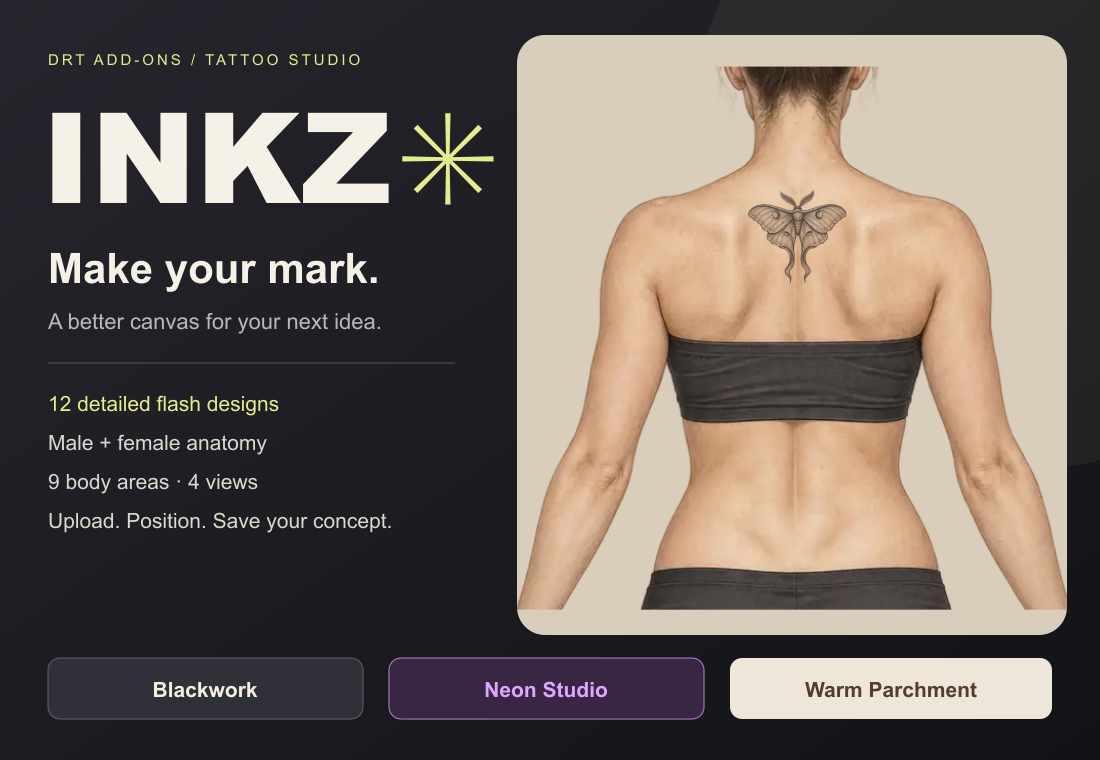
- Preview your own PNG, JPG or WebP artwork locally in the browser.
- Save an SVG concept and a text placement brief.
Ready for your website
The download includes an installable WordPress plugin, standalone website files, the sample flash sheet, full installation and customization instructions, and license information. Add [drt_inkz] to a Shortcode block or Divi Code module. Set your brand, starting style, anatomy, design and upload preference in Settings → DRT Inkz. No Divi subscription or paid third-party plugin is required for the add-on itself.
One payment. Unlimited website use. Customize the included source files for your projects. The included illustrations are placement demonstration assets; replace them with your own approved artwork as appropriate.
Clear expectations
This is a two-dimensional illustrative concept tool, not a tattoo stencil, realistic skin wrap or physical-size measurement. Right-side anatomy is reflected from the left illustration. Final artwork, scale and placement must be agreed with a tattoo professional. Visitor artwork stays in browser memory; Inkz does not upload it to your server, send enquiries, create bookings or process payments. A separate contact form is needed for customer enquiries.
Need help setting up your copy? Visit DRT Support. Explore more DRT Add-ons.
Compatibility & installation
Independent WordPress plugin. Divi is optional. This is not a native Divi module or a Divi JSON layout. Tested on our Divi 5 site; Divi 4 integration has not been verified.
- Download your purchase and open the included setup guide. If the customer download contains several folders, unzip it on your computer and locate the WordPress installer ZIP.
- In WordPress, go to Plugins → Add Plugin → Upload Plugin, select the installer ZIP, install and activate. Upload the plugin installer, not a bundle containing standalone files and documentation.
- Open Settings → DRT Inkz to choose your defaults. Add [drt_inkz] to a WordPress Shortcode block or Divi Text module in Text/code mode, then save the page.
- View the saved page outside the builder. Check the controls, downloads where provided, and phone layout. Clear your page cache after changing settings.
Standalone previews or website files, where included, are separate from the WordPress installer. Follow their included guide; they are not Divi layout imports.
Questions before or after purchase?
Visit DRT Support and choose Pre-sale questions if you are checking suitability. For installation help, include the product name, WordPress/PHP versions, your theme or Divi version, the affected URL and the exact error or screenshot. Never send passwords or API keys.
Need a tailored feature or done-for-you customization? Describe your project to DRT so we can discuss the scope separately.