How Device CALs work
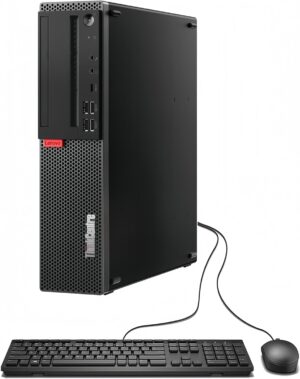
Device CALs license the computer, not the person. This means that one licensed device can be used by different people to connect to the Remote Desktop Services environment. If your team uses the same fixed machines every day, this model can be easier to manage than assigning licenses to individual users.
If each employee needs access from several personal devices, such as an office PC, laptop, or home computer, Windows Server 2016 Remote Desktop Services User Connections 50 CAL may be a better fit.
Version and upgrade considerations
Windows Server 2016 RDS CALs are mainly relevant if your Remote Desktop Services environment is already based on Windows Server 2016. They are not the right choice for newer RDS environments running Windows Server 2019, 2022, or 2025.
If your business is maintaining a newer setup, compare this product with Microsoft Windows Server 2019 Remote Desktop Services Device Connections 50 CAL. For a more modern deployment, Microsoft Windows Server 2022 RDS Device Connections 50 CAL is usually the better long-term option.
⚠ Note RDS CALs should match the server environment you are actually using. Before buying, confirm the Windows Server version and whether your licensing mode is set to Per Device.
What to check before buying
Before purchasing, make sure your server is already prepared for Remote Desktop Services licensing. This product only provides device access rights. It does not include Windows Server itself and does not configure the RDS environment automatically.
Your setup should include a licensed Windows Server 2016 installation, Remote Desktop Session Host role, Remote Desktop Licensing Server, and Per Device licensing mode.
You can browse other server and business software options in our Microsoft software license store.
Activation overview
RDS Device CALs are usually installed through Remote Desktop Licensing Manager on the licensing server. After the license server is activated, the CAL pack can be installed and issued to devices that connect to the Remote Desktop Session Host.
If you are not sure whether this license matches your current setup, contact us before purchasing and we can help you choose the right option.
Frequently Asked Questions
Does this include Windows Server 2016?
No. This is an RDS Device CAL pack only. A separate Windows Server 2016 license is required.
Can multiple users connect from the same licensed device?
Yes. A Device CAL is assigned to the device, so different users can connect from that same licensed machine.
Should I choose Device CALs or User CALs?
Choose Device CALs when several people use the same workstation. Choose User CALs when one person connects from several devices.
Should I still buy 2016 RDS CALs?
This license is mainly suitable if your existing RDS environment is already based on Windows Server 2016. For newer deployments, a newer RDS CAL version is usually a better choice.
Browse more options in our Windows Server category.