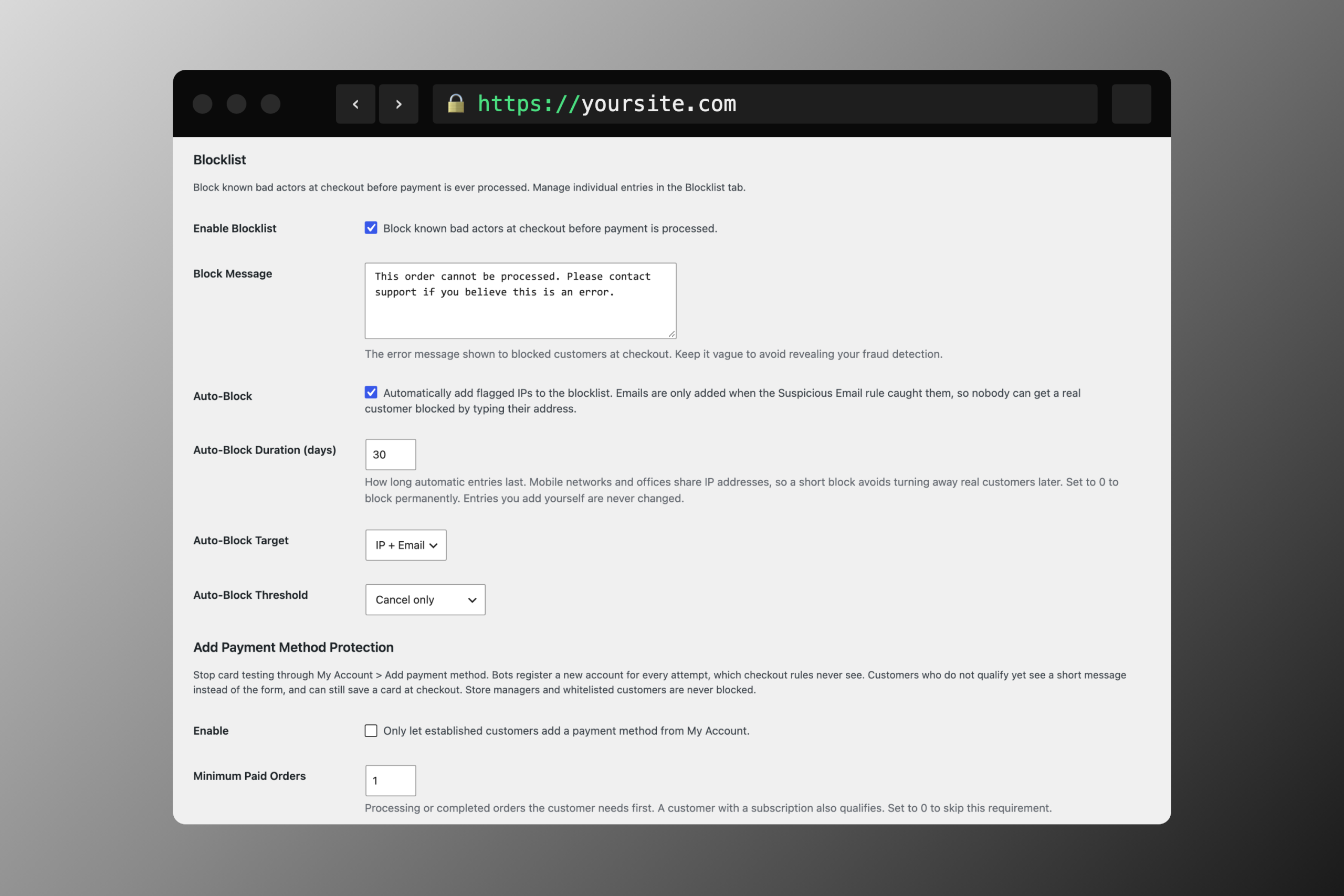
Auto-Blocking
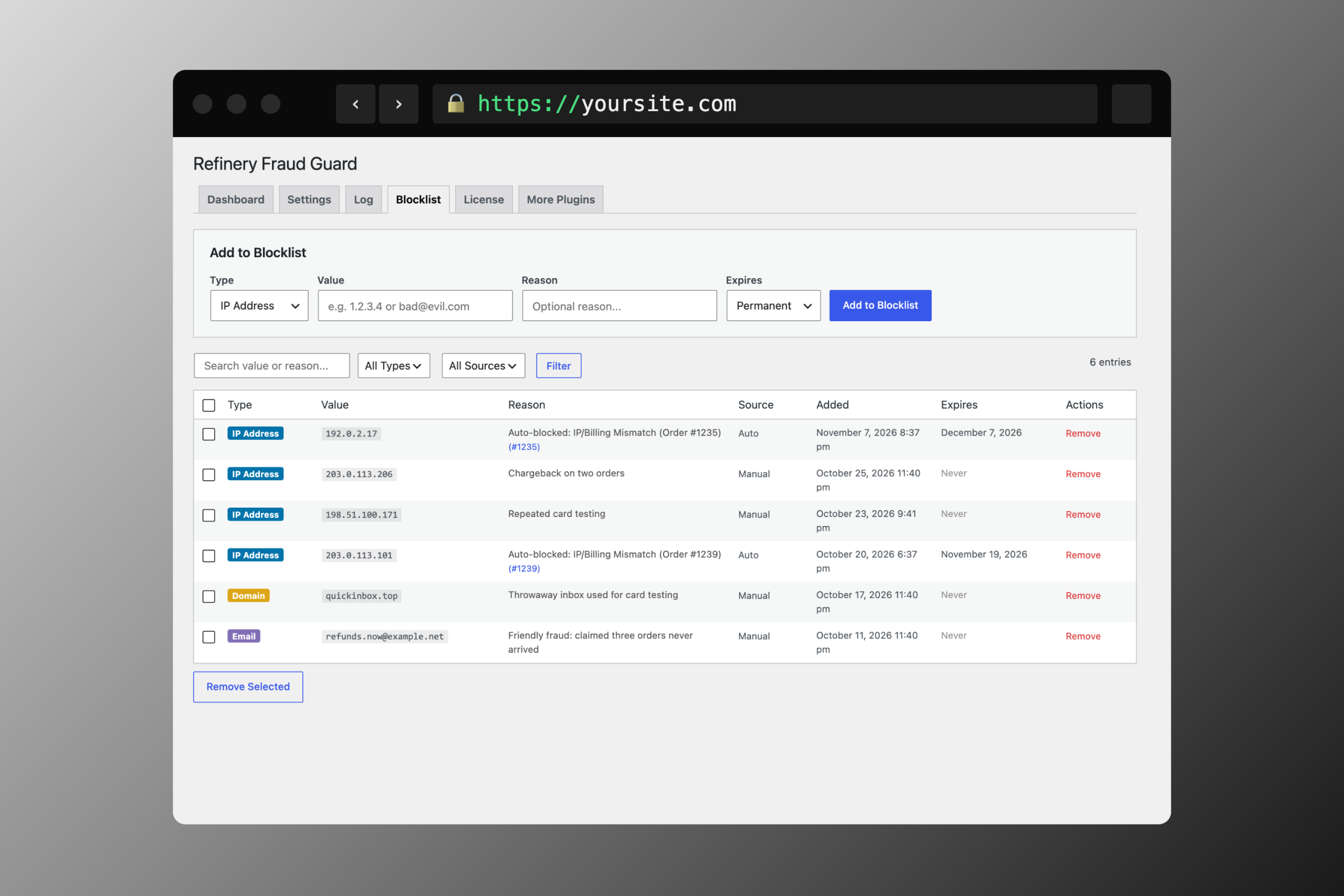
When the detection engine flags an order, it can automatically add the offender’s IP and email to the blocklist. Configure the severity threshold: only auto-block on cancellations, or cast a wider net and auto-block on holds too. First-time fraudsters get caught by the detection rules. If they come back, the blocklist stops them at the door.
IP Geolocation Check
Compares the customer’s IP address location with their billing address. If someone in Vietnam is checking out with a billing address in Texas, that order gets flagged. Supports country-level and country + state matching. Uses a cascading lookup (Cloudflare headers first, then WooCommerce’s built-in geolocation), so there’s no extra API call slowing down your store. Results are cached for 24 hours.
Minimum Order Amount
Card testers don’t buy your products. They place small orders to verify stolen card numbers. Set a minimum threshold and any order below it gets caught. Configurable to any amount.
Velocity Rate Limiting
Catches rapid-fire card testing from a single source. If the same IP address places more orders than your limit within a configurable time window, subsequent orders are flagged. Default: 3 orders per 60 minutes.
Disposable Email Blocking
Fraudsters use throwaway email addresses from services like Mailinator, Guerrillamail, and Yopmail. Fraud Guard ships with a curated blocklist of 100+ disposable email providers, plus you can add your own custom blocked domains.
VPN/Proxy Detection
Flag orders placed through VPN, proxy, or datacenter IP addresses using proxycheck.io. The free tier gives you 1,000 lookups per day with no API key required. Results are cached so repeat visitors don’t cost extra queries.
Per-Rule Actions
Every detection rule has its own configurable response. Choose Hold for Review to put the order on hold for manual inspection, Auto-Cancel to reject it immediately, or Flag Only to add a note without changing the order status. You can also restrict each rule to specific payment methods. Run geolocation checks on Stripe orders only, for example.
Whitelisting
Whitelist trusted IP addresses and email addresses (or entire domains) so they bypass all fraud checks. Whitelists always take priority over the blocklist. Your team, your warehouse, and your biggest wholesale customer will never get blocked.
Dashboard and Fraud Log
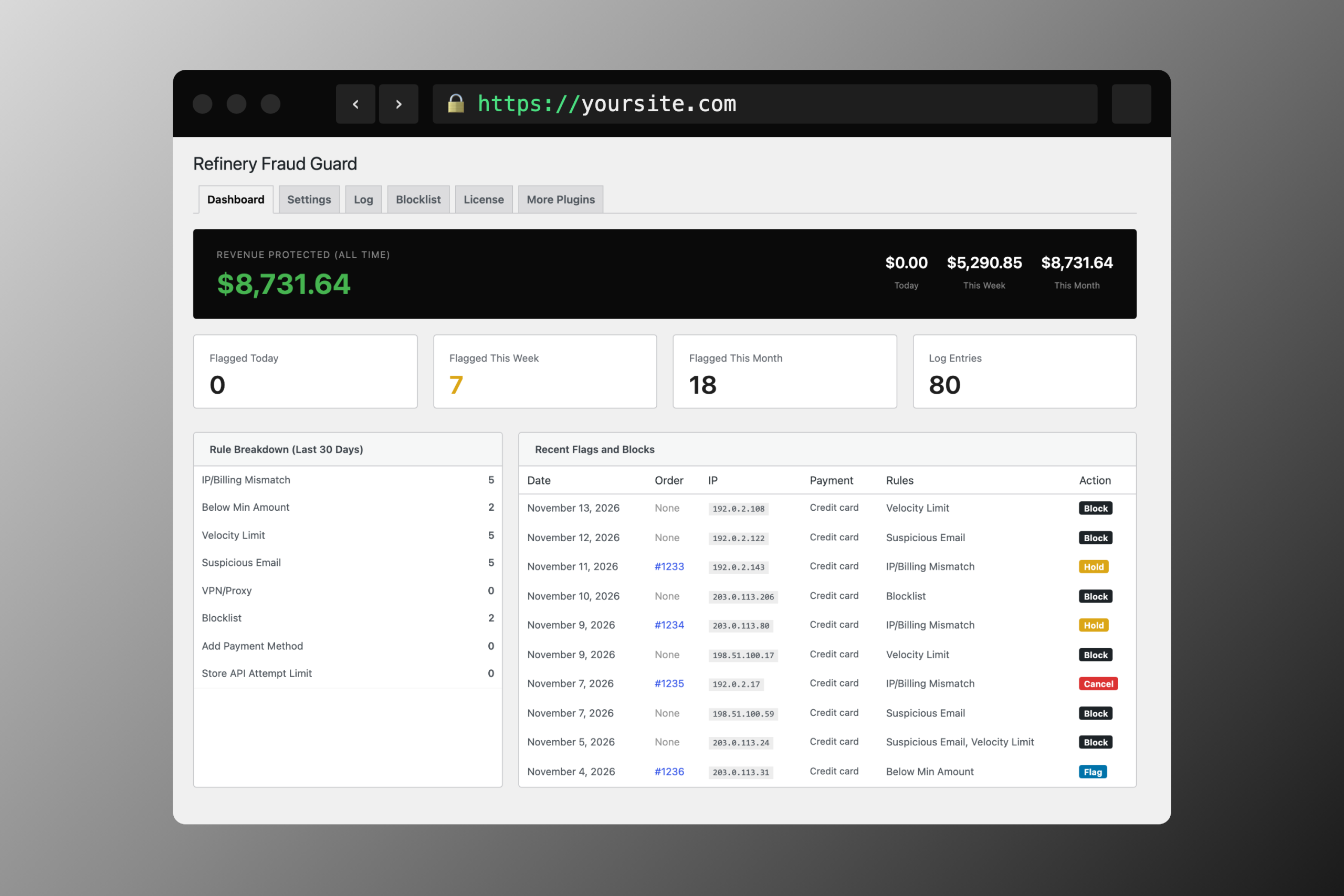
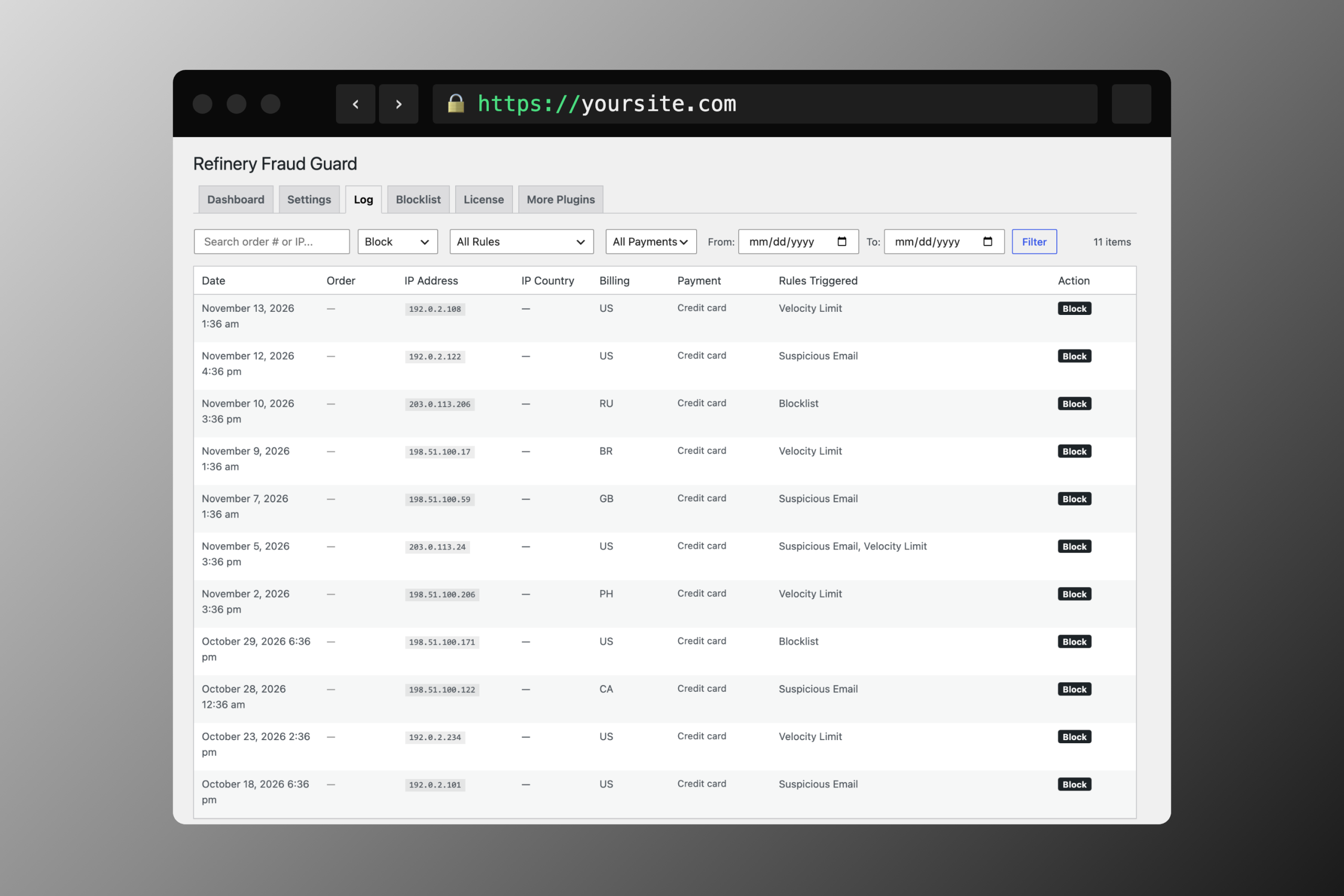
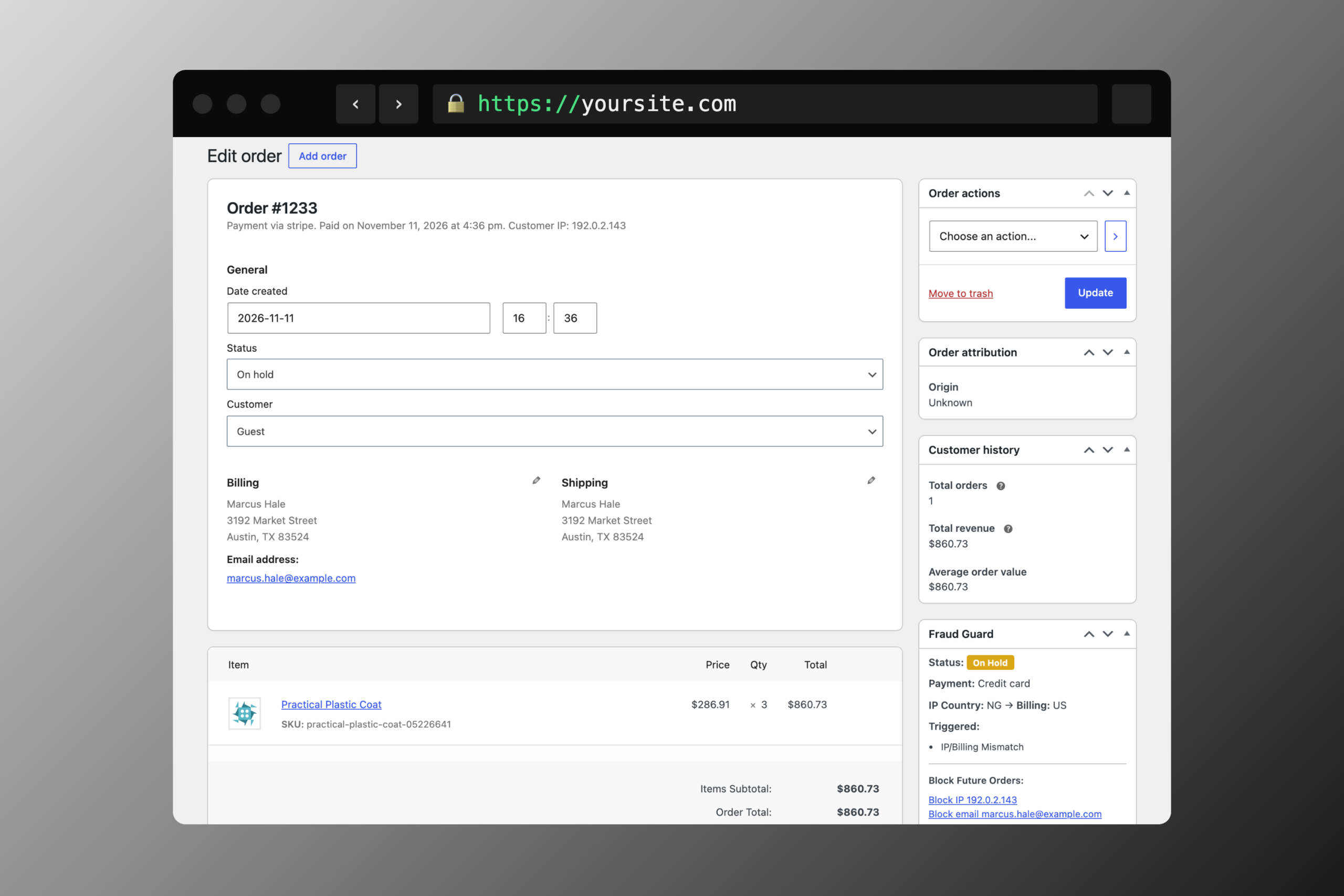
A dedicated dashboard shows fraud stats at a glance: flagged orders, triggered rules, and recent activity. For broader store metrics and revenue analytics, see Refinery Analytics. The searchable fraud log records every flagged order with full details: which rules triggered, the IP country vs. billing country, order totals, and what action was taken. Every flagged order also gets an order note and meta box so your team can see exactly what happened without leaving the order screen.
Built for WooCommerce
HPOS compatible. Works with both the classic and block checkout. The blocklist check runs during checkout validation with a single indexed database query, typically under 1ms. The detection engine runs after order creation so it never slows down the checkout flow. Extensible with hooks and filters for developers who want to add custom rules or override behavior. Fraud Guard is included in the All Access Pass.
Documentation
Get up and running with Refinery Fraud Guard using the documentation: Getting started with Fraud Guard, configuring fraud rules and thresholds, managing the blocklist, reading the fraud log, and developer hooks.
Further reading
- Best WooCommerce Fraud Prevention Plugins (2026)
- How to Protect Your WooCommerce Store From Payment Fraud