About this product

🔥 RESET YOUR EPSON PRINTER QUICKLY & EASILY!

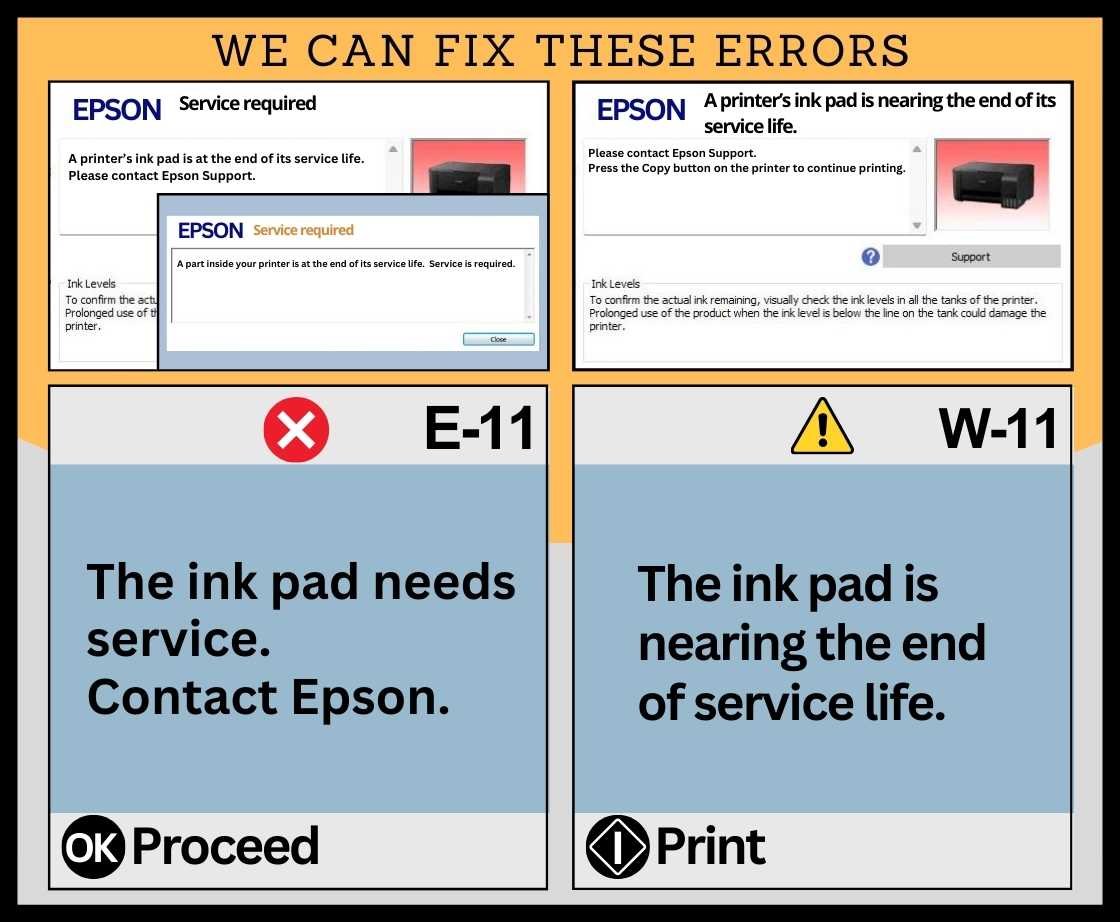
Is your Epson printer showing “Service Required,” “Ink Pad is at the End of Its Service Life,” or a Waste Ink Pad Counter warning?

Click the Buy Now buttons to purchase a reset key

Download Resetter

Get a Resetter RESET KEY and restore your printer’s waste ink counter using our supported Resetter utility.

✅ Fast Digital Reset Key

✅ Easy-to-Follow Reset Process

✅ Secure Online Key Verification

✅ Supports Many Epson Printer Models

✅ No Need to Replace Your Printer

✅ Designed for Waste Ink Pad Counter Reset

🔑 What You Get

🔥 RESET YOUR EPSON PRINTER WITH A RESETTER RESET KEY! 🔥

Is your Epson printer showing “Service Required”, “Ink Pad is at the End of Its Service Life”, or a Waste Ink Pad Counter error?

Click the Buy Now buttons to purchase a reset key

✅ Get a Resetter Reset Key and restore the waste ink counter through our supported Resetter service.

🔑 Why choose our Resetter Reset Key?

✔️ Fast and convenient activation

✔️ Designed for supported Epson printer models

✔️ Helps reset the Waste Ink Pad Counter back to 0% when the printer and model are supported

✔️ Simple guided process

✔️ Remote assistance available when needed

✔️ No need to bring your printer to a service center just for a counter reset

✔️ Ideal for printer owners, technicians, computer shops, and printing businesses

Show allShow less

Download Resetter

🖨️ HOW IT WORKS

1. Purchase your Reset Key

2. Download/Open the Resetter application

3. Connect your Epson printer by USB

4. Enter your Reset Key

5. Follow the reset procedure

6. Restart the printer and continue printing

💻 Windows Compatibility

✅ Windows 10 — 64-bit

✅ Windows 11 — 64-bit

For best results, connect the printer directly to the computer using a USB cable during the reset process.

🔐 Each Reset Key is an authorization token for the reset service, helping ensure controlled and secure use of the Resetter system.

⚠️ Important: Resetting the counter does not physically replace or clean the waste ink pads. If the pads are already saturated, proper inspection, cleaning, or replacement is recommended to prevent ink leakage.

📩 Need a Reset Key? Message us today!

🖨️ RESETTER — Resetting Made Easy

🔑 Get your Reset Key. Reset the counter. Get back to printing.

In Resetter's own words. See it at Resetter

Delivery and returns

Delivery

Resetter shows the delivery cost and time at its checkout, before you pay. resetter.net

Returns

No returns page was found on resetter.net. Ask Resetter before you buy. resetter.net

Payment

You pay Resetter directly

On the store's own checkout, with the ways to pay it offers. 0cean adds $0 to the price and never holds your money.

More from Resetter

Everything Resetter sells