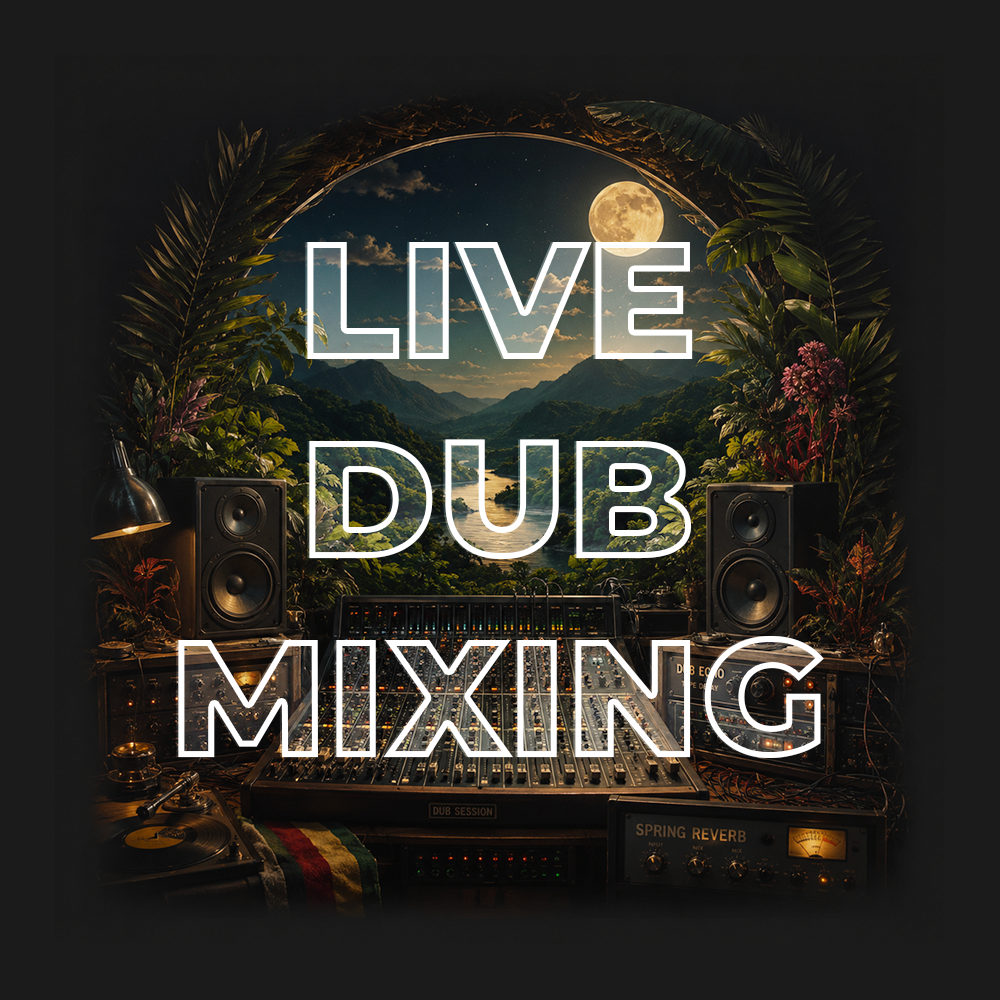
Then we’ll build a modern Ableton workflow that lets you perform dub-style remixes with any MIDI controller.
This workshop is about turning Ableton Live into an instrument for live remixing, spontaneous arrangement, and hands-on performance that can be applied to many other styles of music.
How to Live Dub Mixing
Learn the core mindset behind live dub mixing: stripping a track down, riding the arrangement, sending sounds into effects, muting parts, creating tension, and performing the mix in real time.
Dub FX
Explore classic dub effects like tape delay, spring reverb, Phasers, feedback, filters, dropouts, echo throws, reverb splashes, and performance-style send effects.
Stem Mixing
Use stem separation to split songs into drums, bass, vocals, and music so you can remix existing tracks with deeper control inside Ableton Live, bringing us closer to the original art of dub mixing where the engineers had direct access to the recorded stems.
Adding Modern Punch
Learn how to make older recordings, stems, loops, and dub arrangements hit harder with stronger drums, cleaner low end, better loudness, and more modern energy.
Dub Siren
Build and perform with a dub siren inside Ableton using synths, pitch movement, delay, reverb, modulation, and hands-on control.
One-Shots
Trigger bass drops, vocal hits, sirens, impacts, percussion, risers, FX hits, and other one-shots to create dramatic live arrangement moments.
Using the Crossfader
Use Ableton’s crossfader as a performance tool for dub-style dropouts, transitions, rhythm cuts, FX returns, and live remix gestures.
Advanced Mapping Techniques
Map effects, sends, filters, mutes, macros, racks, encoder resets, momentary and performance controls to any MIDI controller so the setup feels immediate and playable.
Melodic Instrument Button Improvisation
Use buttons, pads, and controller mappings to improvise melodic ideas, mute guitars, skanks, chords, sirens, stabs, and dub-style musical responses during the performance.
This session is beginner-friendly, but the workflow goes deep. Whether you’re a producer, DJ, reggae fan, electronic musician, or Ableton user looking to build a more hands-on performance setup, you’ll leave with practical techniques for turning Ableton Live into a live dub mixing instrument.
Live Dub Mixing Ableton Template
Included in this session is a full Ableton Live Dub Mixing Template. There are two versions, a fully mappable version for the APC40 MK1 and a generic version you can use to map to your own MIDI controller.
This template includes:
- 2 decks with 4 stems each
- Crossfader setup
- Dub Echo (Tape Delay) Sends
- Spring Reverb Sends
- IR Lo-fi Filters
- IR Amp Filters
- DJ Filters
- One-Shot Sampler
- Drum Loop Sampler
- Drum Fill Samplers
- Melodic Jam Instrument Racks
SessionBPM
An Exclusive Max for Live Utility that allows gradual change of BPM and Time Signature in Live’s Session View using clips.
So if you have a clip names “125 – 150 BPM”, and the clip is 2 bar long, when you launch the clip Live’s BPM will gradually change from 125 – 150 over 2 bars.
This is a great utility when you need to create smooth changes in BPMs during a live show/DJ Set.
Check out a full tutorial/Overview HERE
Side Brain’s Dub Echo
A custom Echo stereo tape delay preset with full macro control over key parameter.
What’s Included with this session
- 2+ hours of Ableton Certified Training Video
- Live Dub Mixing Ableton Template
- SessionBPM Max for Live Device
- Side Brain’s Dub Echo Audio Effect Rack
- PDF with a list of Tools, Sample Resources, Plugins, Max for Live Devices, IRs and More!
ABOUT THE INSTRUCTOR
Yeuda Ben-Atar, a world renowned Ableton Certified Trainer, hails from Los Angeles, California. Originally from Israel, Yeuda’s passion for music led him to the United States, where he discovered his true calling with Ableton Live in 2007, embarking on a journey of mastery.
He approaches Ableton in a unique way; producing and performing with video game controllers under the moniker Side Brain.
One of Yeuda’s most remarkable qualities is his exceptional knowledge and speed, combined with his unparalleled ability to explain complex concepts in a simple and engaging manner.
With years of experience as a music production instructor and educator, Yeuda has contributed his expertise to prestigious institutions throughout the United States, including USC, UCLA, UCSD, Colburn Music School, Berkley School of Music, Cal Arts, NAMM, Skywalker Sounds, Bedrock LA, Sonos Studios, Sweetwater Headquarters, 1500 or Nothing studios, Grammy U, Pensado’s Place, Vintage King, Museum of Making Music, Lynda.com (now known as Linkedin Learning), and Perfect Circuit Audio, among many others.
His projects have included working with and teaching artists such as Timbaland, Ludacris, Lavel Kali(Beyonce, Drake) DJ Numark and Jurassic 5, Beck, Skrillex, Flying Lotus, Ed Sheeran, Rick Rubin, Giorgio Moroder, Simi, Bootie Brown (Pharcyde), Dave Pensado, Madison Mcferrin and countless others.