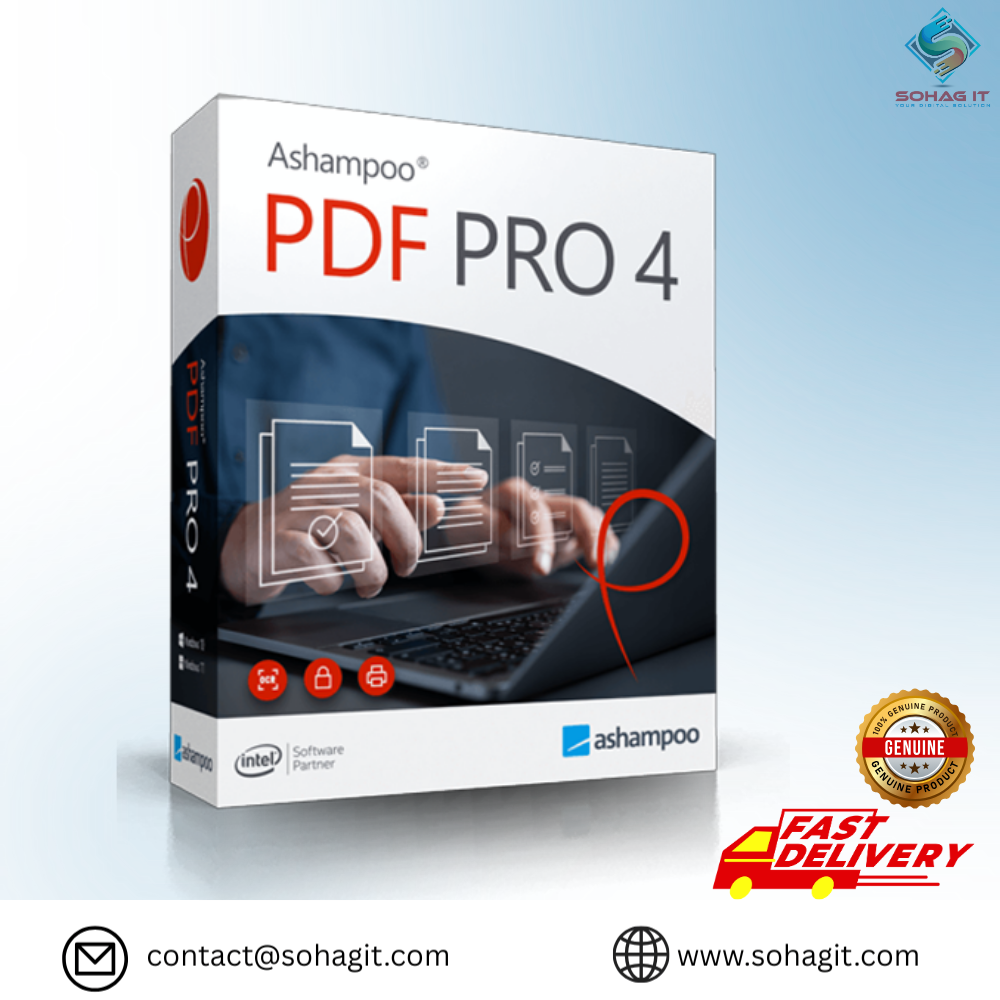
Ashampoo PDF Pro 4 | 1-PC (ESD)

Ashampoo PDF Pro 4 | 1-PC (ESD)

No reviews at this store yet

BDT 2,999.00 BDT 3,680.00 −19%about $24.01

In stockLook twice · the crossed-out price was not its price

Delivery priced at checkout · no returnsDetails

0cean adds $0. You pay Sohagit on its own site.

SohagitIndependent store · sohagit.comStore page

Price and stock as Sohagit showed them Nov 25, 05:17 AM UTC.

In the store under AI and Educational Tools

Ask about this product

Find it in other storesCheaper than BDT 2,999.00In stock only

About this product

মূল বৈশিষ্ট্যসমূহ:

✅ PDF এডিট করুন Word-এর মতো সহজে: টেক্সট, ইমেজ, লিংক, হেডার, ফুটার—সব কিছু সরাসরি এডিট করা যায়।

✅ PDF তৈরি ও কনভার্ট: Microsoft Office ফাইল, ছবি, বা স্ক্যান করা ডকুমেন্ট থেকে সহজে PDF তৈরি করুন।

✅ OCR (Text Recognition): স্ক্যান করা ইমেজ বা PDF থেকে টেক্সট চিনে এডিটেবল টেক্সটে রূপান্তর করে।

✅ PDF মার্জ ও স্প্লিট: একাধিক PDF একত্রিত করুন বা আলাদা আলাদা পৃষ্ঠায় ভাগ করুন।

✅ পাসওয়ার্ড প্রোটেকশন: আপনার গুরুত্বপূর্ণ ডকুমেন্টকে সুরক্ষিত রাখুন শক্তিশালী এনক্রিপশন দিয়ে।

✅ ডিজিটাল সিগনেচার: অফিসিয়াল ডকুমেন্টে সুরক্ষিতভাবে সিগনেচার দিন।

✅ ডার্ক মোড সাপোর্ট: দীর্ঘ সময় কাজের সময় চোখের আরাম বজায় রাখুন।

লাইসেন্স তথ্য:

💻 ব্যবহারযোগ্য ডিভাইস: ১টি পিসি

🕒 লাইসেন্স টাইপ: ডিজিটাল লাইসেন্স (ESD – ইমেইল কোড ডেলিভারি)

🪟 সাপোর্টেড সিস্টেম: Windows 10 / Windows 11

Ashampoo PDF Pro 4

Create interactive forms

Ashampoo PDF Pro is not only ideal to fill out forms but also to create and edit your own. It takes only a few clicks to add interactive elements, like selection lists, checkboxes or input fields, to your PDF form. These forms can then easily be filled out by anyone using a standard PDF reader.

Create snapshots

Would you like to capture parts of your document as image files? You got it! The new screenshot tool can capture any portion of your document quickly and easily with custom formats, resolutions and color depths, including alpha channel support. Simply capture the parts that really matter to you!

Show allShow less

Find and replace colors

Sometimes, you need to replace colors through the entire document, e.g. to adapt its design to company or project requirements. The new find and replace feature makes it easy: Just select the color to be replaced, followed by the replacement and Ashampoo PDF will do the rest. Save time and effort with the new features in Ashampoo PDF Pro!

Handy bates numbering

Need to apply unique numbers and/or date/time-marks to several PDFs for further processing, e.g. a batch of invoices? The new bates numbering feature makes it possible: Process any number of files or entire folders and add numbers, texts, e.g. headers and footers, or date stamps with incredible ease.

Seamless image editing through external applications

Convert documents into Word or other formats

Ashampoo PDF Pro features a mature OCR engine that converts scanned characters into computer-editable text. Naturally, the program also features seamless file exchanges with Microsoft Word.

Find and replace in seconds

Ashampoo PDF Pro’s find and replace goes far beyond what you will find in other PDF editors. Not only can you replace text at the click of a button but also hyperlinks, fonts and colors. It’s the fastest and easiest way to adjust the design of your document and you can even apply this feature across multiple files.

Comment, edit and highlight

Ashampoo PDF Pro is the comfortable way to add comments to your PDFs, highlight important passages or add drawings for clarification. Built-in stamps like “Approved!” or “Confidential!” further help you mark up your documents.

Document protection with 128-bit AES encryption

Thanks to strong AES-encryption, your PDFs are protected against unauthorized and unwanted actions such as opening, editing, printing or text extraction. You decide what recipients can and can’t do with your files! You can also permanently and irrevocably blacken sensitive information.

Fill out and print forms

Not only does Ashampoo PDF allow you to fill out interactive forms but it also supports the more common forms that were created as PDF documents as used by various government agencies. Save time and fill out your forms on your PC instead of printing and filling them out the old-fashioned way.

Easily insert and use images from PDF files

Working with graphics and drawings is easy with Ashampoo PDF. Insert, edit, move and crop objects as needed. You can even use them as watermarks to protect your intellectual property or clone them for easy reuse.

System Requirements

Whether you’re archiving important documents, editing contracts, or filling out forms, Ashampoo PDF Pro 4 gives you full control over your PDF workflow—fast, reliable, and intuitive.

In Sohagit's own words. See it at Sohagit

Delivery and returns

Delivery

Sohagit shows the delivery cost and time at its checkout, before you pay. sohagit.com

Returns

No returns, the store says

Non-Refundable Situations We do not offer refunds for: Wrong product purchased by the customer.

The store's returns policy

Payment

You pay Sohagit directly

On the store's own checkout, with the ways to pay it offers. 0cean adds $0 to the price and never holds your money.

Similar from other independent stores

In the open order every answer uses: what is in stock and priced in your currency first. No store pays for a place. A price in another currency is shown in USD at today's rate; you pay the store's own price.

More from Sohagit

Everything Sohagit sells