About this product
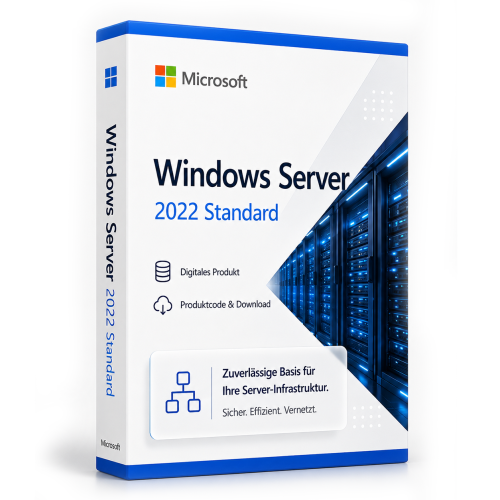
Windows Server 2022 Standard is the proven server operating system for physical and lightly virtualised environments – file, print, directory and application workloads on your own hardware.
- Includes 50 version-compatible RDS User CALs, supplied with your purchase
- Standard edition for physical servers and small virtual environments
- Active Directory, file and print services, IIS and Hyper-V
- Secured-core server features and TLS 1.3 enabled by default
Microsoft Windows Server 2022 Standard
Windows Server 2022 Standard is the proven server operating system for physical and lightly virtualised environments. It handles file and print services, Active Directory, web and application workloads on your own hardware, with secured-core server features and TLS 1.3 enabled by default.
Includes 50 RDS User CALs
This bundle includes 50 Remote Desktop Services (RDS) User Client Access Licences (CALs) compatible with Windows Server 2022. The RDS User CALs are supplied with your purchase and let 50 named users access the server via Remote Desktop from any device.
Adding the CALs to your server
The 50 RDS User CALs are installed on your own Remote Desktop license server and linked to your Windows Server version:
- Add the Remote Desktop Licensing role service and activate the license server.
- In Remote Desktop Licensing Manager, right-click the server, choose Install licenses, select your licence programme and enter the licence code you receive with your order.
Show allShow less
- Select Windows Server 2022 as the product version, RDS Per User CAL as the licence type and 50 as the quantity.
- Set the licensing mode to Per User: in Server Manager under Deployment Properties › RD Licensing, or with the Group Policy “Set the Remote Desktop licensing mode”.
Per User CALs need an Active Directory domain; on workgroup servers Microsoft only permits Per Device CALs. If you need help with the setup, just contact us.
What is included
- 50 version-compatible RDS User CALs included
- The Standard edition of Windows Server 2022 for physical servers and small virtual environments
- Active Directory Domain Services, file and print services, IIS and Hyper-V
- Secured-core server features and TLS 1.3 by default
- Administration through Windows Admin Center and PowerShell
Who this licence is for
A solid base for small and medium businesses that run their own server and want a settled, widely deployed version rather than the newest one.
Delivery and activation
Your product key and the download link are sent to the email address you use at checkout, straight after your payment is confirmed. A step-by-step activation guide comes with it, and if a key ever fails to activate we replace it free of charge.
Good to know
The included RDS User CALs cover Remote Desktop access for 50 named users. Windows Server core-licensing requirements still apply; CALs do not replace the server licence. If you need access for more than 50 users or are unsure about your environment, please contact us before ordering.
In Theunitysoft's own words. See it at Theunitysoft