About this product
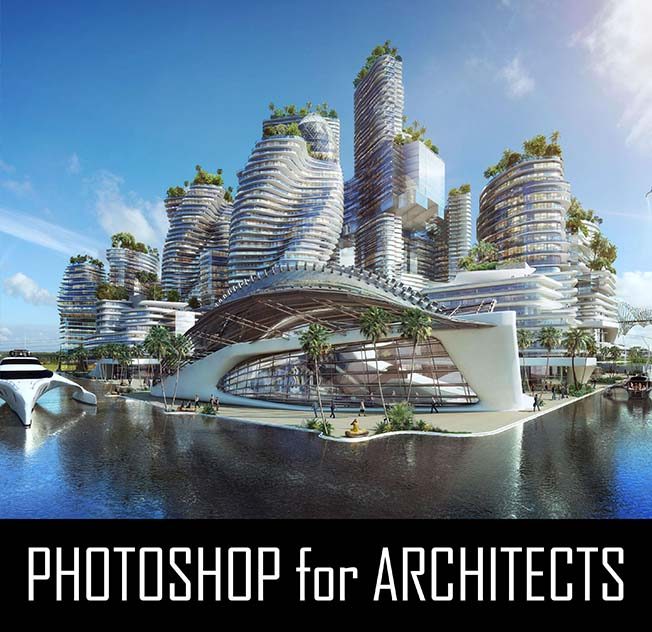
PHOTOSHOP for ARCHITECTS
ONLINE MASTERCLASS – Step-by-Step Video Training
Learn to Master Your 3D Renders With PRO Photoshop Skills
No Matter What SOFTWARE you use – SketchUp, Rhino, Blender, Maya, 3DsMax – All Renders End Up in PHOTOSHOP!
JOIN OUR 4 HOUR MASTERCLASS to LEARN
“How to Turn Your 3D Render Into a Masterpiece”
[cq_vc_beforeafter beforeimage=”9704″ afterimage=”9705″ autoslide=”0″]
I’m about to show you some FREE TOOLS that you can use to transform “so what” renders into GREAT LOOKING 3D.
If you know how to use those techniques – YOUR RENDERS WILL NEVER LOOK THE SAME!
VRay RENDERING ELEMENTS – can be the only thing you need to master – the rest is being build upon this basis.
However YOU need to learn the basics and understand the logic behind each element in your scene – AND THIS – I can only do by SHOWING YOU EXAMPLE of a “Future CIty Model”
What You Will Learn?
How to apply quick color corrections by use AUTO tools adjustment
How to treat “Render Elements” – VRay Passes – We will go over types of passes and how to blend them properly
Usage of FREE Plugins to Render Anti-Aliased masks and applying them in Photoshop
Adjustment Layers method for isolating objects for proper color treatment
Working with Landscape and 2D Vegetation Library
Show allShow less
Placing cut-out people – OldSchool placeholder technique
Adding Photorealistic Effects – Lens Distortion, Chromatic Aberration, Film Grain, Vignette
Color Processing Tools – bring natural colors back to your RENDER
Natural Lighting Effects; Glow, Sun Beams, Lens Flare, Z-Depth
What Skills You Get Upon Completing This Masterclass?
You’ll Know how to fix Lighting in Bad Renders
You’ll have better control over your scene objects
Your images will have better quality and final look
You’ll be able to produce renders faster
You’ll be ahead of your competition
You can charge more for services!
What You Will Get?
2D Photoshop Trees
2D Cut-Out People
Lens Flare & Brushes
Post Processing Filters
PHOTOSHOP Brushes
VRay Rendered Passes to practice
PSD File with all the layers setup
What is VRaySchool Learning Portal?
www.vrayschool.com – Secured Learning System – on the Fastest WP-Engine server
After successful payment, you’ll be able to log in and download all the training materials
PRIVATE FORUM SUPPORT – Got questions? You can use our CLOSED – PRIVATE FORUM for Q&A
Unlimited Access to our Masterclass Video Recordings (You can access Masterclass; Anytime – Anywhere!)
1 HOUR FREE CONSULTATION
Send me an email to schedule 1-hour live consultation and works overview
Screen Sharing via Join.me and Voice/Video with skype
Prepare at least 5 latest works for feedbacks
CHOOSE WHERE AND WHEN TO LEARN
Don’t have time? No Problem – You can log in and go through MASTERCLASS Training Materials Anytime
And if you have any questions our PRIVATE FORUM Q&A Section Will BE AVAILABLE for YOU!
We are here to provide the BEST ONLINE TRAINING EXPERIENCE!
Your Success is Our Pride!
About VRay Instructor
Alexander Minelli – Senior 3D Artist – 15 years working experience – 10 years teaching, writing, and assisting beginners to reach a high level of Arch. Viz. production.
Since 2005 worked for companies such as; HP, DBOX, F&f, CADMAN. Graduated with Engineering degree in Interactive Communication (Technion) in 2004. Accomplished A.A Degree in Film TV and Animation (DeAnza College) in 2013. Highlights; Strong design background / Sharp eye with attention to detail / Professional understating of light behavior and digital painting techniques.
Wrote books and manuals about VRay Rendering and Post Production. Since 2009 – released 10 learning apps and 12 online classes. Engaged in seminars and CG exhibitions as a GUEST SPEAKER. Blog writer and architectural explorer – always brings fresh video tutorials and shares his discoveries with Arch. Viz. community.
That’s about it, hope to see you with us – it’s gonna be a lot of FUN!
This Masterclass is LIMITED to 100 USERS
BOOK YOUR SEAT BEFORE ANYONE ELSE
In Vrayschool's own words. See it at Vrayschool