About this product
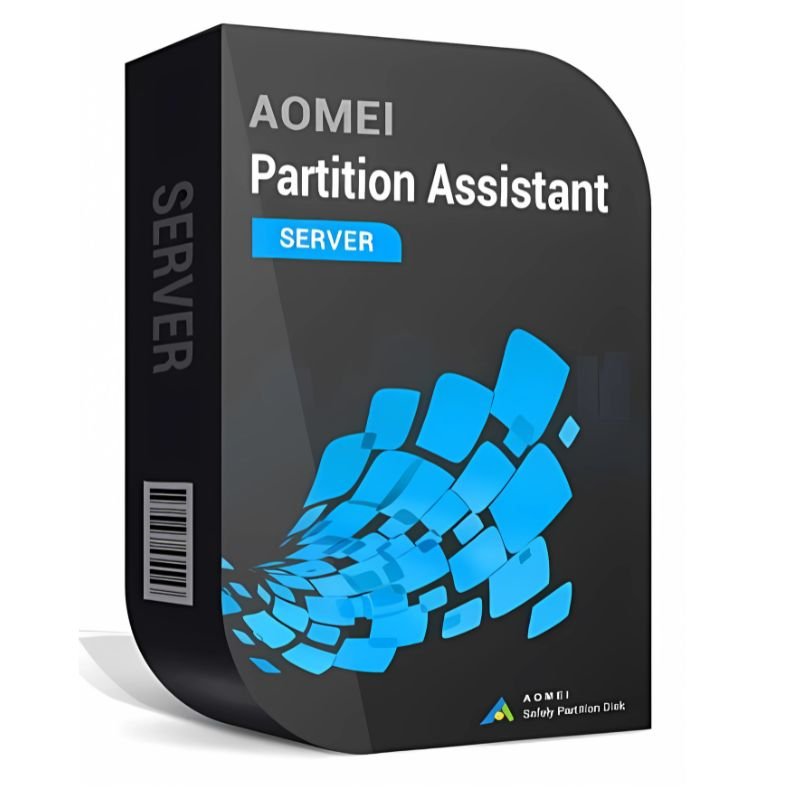
AOMEI Partition Assistant: The All-in-One Tool for Comprehensive Server Disk Management!
Managing server partitions has never been easier. AOMEI Partition Assistant Server Edition is designed specifically for small and medium-sized companies, offering a powerful and intuitive solution for all your server disk management needs. From expanding partitions to migrating your OS to an SSD, this versatile tool ensures your server operates at peak efficiency.
Key Features:
- Optimize Your Storage Easily extend, shrink, format, delete, move, and create partitions to make the best use of your server’s storage space.
- Advanced Partition Wizards Perform complex tasks like merging, splitting, and aligning partitions with ease.
- Seamless Transition Migrate your operating system to an SSD or HDD effortlessly, improving your server’s performance and reliability.
- Flexible Management Manage dynamic disks with ease, including creating, deleting, and converting between basic and dynamic disks.
- Modern Compatibility Fully supports UEFI boot mode and GPT partition table, ensuring compatibility with the latest server technologies.
- Easy Navigation Intuitive and visual interface makes partition management straightforward, even for those with limited technical expertise.
Why Choose AOMEI Partition Assistant Server Edition:
Choosing AOMEI Partition Assistant Server Edition means opting for a reliable, efficient, and comprehensive solution for all your server partition management needs. Here’s why it stands out:
Show allShow less
- All-Inclusive Features Offers a full range of partition management tools tailored specifically for server environments.
- Ease of Use Designed with a user-friendly interface that simplifies complex tasks, making it accessible to users of all skill levels.
- Advanced Technology Supports the latest server technologies, including UEFI and GPT, ensuring your system is always up-to-date.
- Data Safety Ensures the security and integrity of your data throughout all operations, minimizing the risk of data loss.
- Excellent Support Benefit from regular updates and dedicated customer support to keep your software effective and reliable.
Supported operating systems:
- Windows Server 2016
- Windows Server 2012 and 2012 R2
- Windows Server 2008 and 2008 R2
- WWindows Server 2003
- Windows SBS 2003, 2008, 2011
- Windows 10/Windows 8.1/8/Windows 7/Vista/XP
- Windows 2000 Server and 2000 ProfessionalSP4
Supported file systems:
- NTFS
- FAT32/FAT16/FAT12
- exFAT/ReFS *
- Ext2/Ext3/Ext4 *
- Bitlocker, other file systems *
- The size of the file system cannot be changed, but you can move and clone it.
Supported storage devices:
- Traditional hard disk drive, solid state drives (SSD) and SSHD, etc.
- Hardware RAID, including RAID 0, RAID 1, RAID 5, RAID 10, etc.
- All storage devices recognized by Windows such as IDE, SATA, iSCSI, SCSI hard disk, IEEE1394 (FireWire), etc.
- Supports USB 3.0 / 2.0 / 1.0
- Supports MBR hard disk and GPT hard disk, including 16TB+
- Supports up to 128 hard drives in one system.
- Removable devices, all flash drives, such as PC card, USB sticks, memory card, memory stick and so on.
- Supports hard disks with a sector size of 4096, 2048, 1024, 512 bytes
- Supports the virtual disk partition in VMware, Virtual Box and Virtual PC.
- Supports UEFI/EFI Boot.
Supported technologies:
- Improved algorithm to ensure a faster and more secure process of moving the partition.
- Improved data protection technologies to keep data secure.
- Flexible and customizable drag & drop interface.
- Check all partitioning tasks before applying them to the hard disk.
- Specify the option to shut down the computer when all operations are complete.
Hardware requirements:
- CPU: at least with X86 or compatible CPU with main frequency 500 MHz.
- RAM: equal to or greater than 380MB.
- A Microsoft operating system with mouse, keyboard and color monitor.
More Details:
- Runtime 1 Year
- Language (s): Multilingual
- Countryzone (s): Worldwide
Take Control of Your Server Management Today – Try AOMEI Partition Assistant Server Edition!
In Softdigitalkey's own words. See it at Softdigitalkey