- Good internet connection
- Remote connectivity software
Follow the instructions on how to get the online reset service for the Epson L3111 WASTE INK PAD
1. Buy Epson L3111 Reset. Once the payment has been made, contact our support team to provide instructions and remote assistance at the following: Messenger, Telegram, WhatsApp, or email resetter.net@gmail.com for the ONLINE RESET.
2. Connect the printer to a computer via a USB cable.
3. Download and install remote connectivity apps or USB Redirector Client. Click this link to download the remote software.
4. Wait for the instruction of the support team until your printer waste ink pad counter is reset.
NOTE: It’s important to note that while resetting the counter can allow continued use of the printer, it does not address any physical issues related to full waste pads; those should be replaced or serviced by professionals when necessary. Also, resetting of waste ink pad counter CAN’T FIX the PRINT QUALITY of the printer
The following problems CAN and CAN NOT be fixed by resetting of waste ink pad counter:
What is a waste ink pad counter?
The waste ink pad counter tracks the amount of ink absorbed by the waste ink pads, which collect excess ink during printing and maintenance processes. When the counter reaches its limit, the printer may display an error message indicating that the waste ink pads are full, preventing further printing until it is addressed.
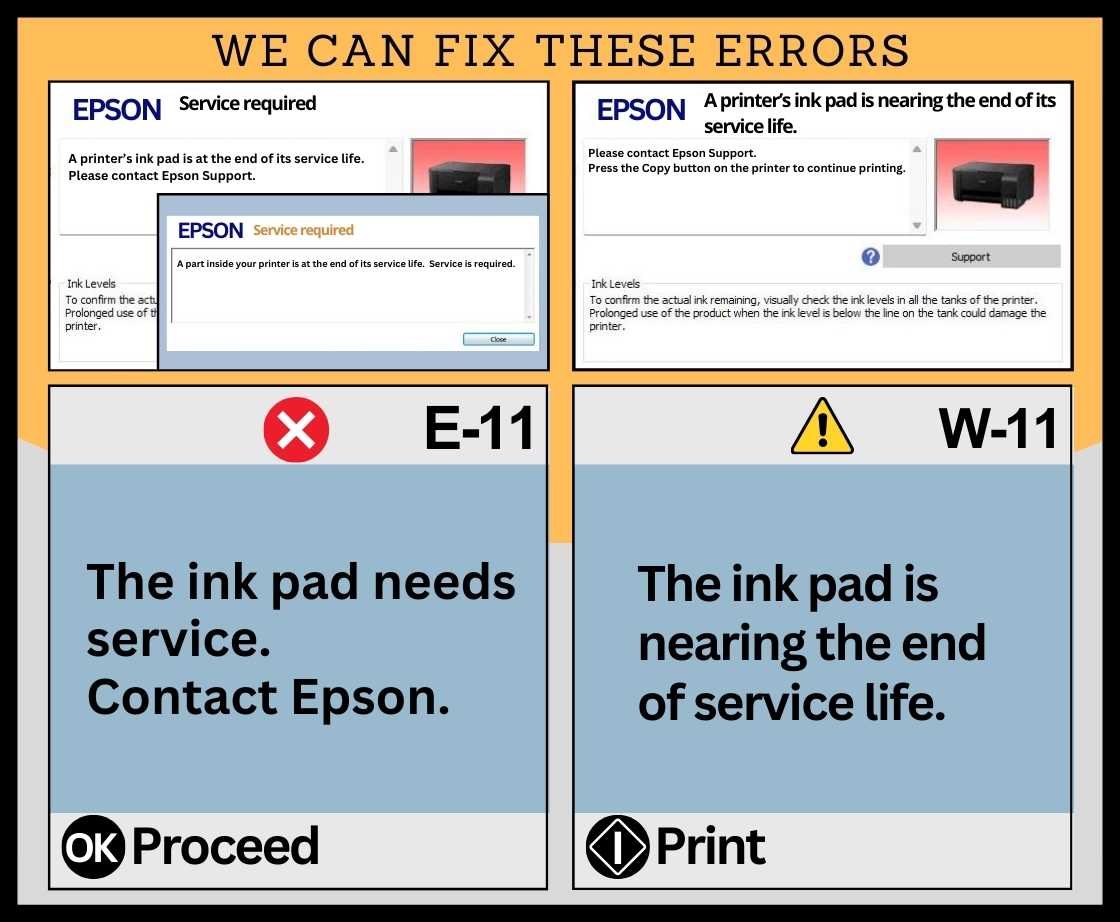
We can fix the following errors:
A printer’s ink pad is at the end of its service life (read more)
A part inside your printer is at the end of its service life. Service is required
The ink pad needs service (read more)
A printer’s ink pad is nearing the end of its service life (read more)
Professional Expertise Guaranteed
Rest assured that our reset service is performed by trained professionals who understand Epson printers inside and out. You can trust that we use reliable methods to ensure optimal performance while adhering to all manufacturer guidelines, giving you peace of mind with every reset.
The Epson L3111 is a versatile all-in-one inkjet printer designed to deliver efficient printing, scanning, and copying solutions for home and small office environments. It features an integrated high-capacity ink tank system that significantly reduces the cost per page and minimizes the frequency of ink refills compared to traditional cartridge-based printers. With a maximum print resolution of 5760 x 1440 dpi, the L3111 ensures high-quality prints with sharp text and vivid colors. The printer supports both USB and wireless connectivity, enabling users to print conveniently from a range of devices, including computers, smartphones, and tablets.
To maintain optimal performance, the Epson L3111 includes a waste ink pad counter. This counter is crucial for monitoring the amount of ink absorbed by the waste ink pads, which collect excess ink during maintenance tasks such as print head cleaning. The waste ink pad counter tracks the ink volume and alerts the user when the pads are approaching their capacity limit. Once the counter reaches its threshold, the printer will notify the user to replace or service the waste ink pads to prevent potential overflow and damage. Proper management of this maintenance feature is essential to ensure the printer’s continued functionality and longevity.
see the list of printers that can reset their waste ink pad counter
Contact Us for Support for Epson L3111 Reset
Whatsapp: (+63) 995-085-0129
Telegram: https://telegram.me/resetternet
Mobile: (+63)995-085-0129
Facebook Page: https://www.facebook.com/resetter.net
Facebook: https://www.facebook.com/renielmorinday
Facebook Business Account: inkpadresetterOFFICIAL