About this product
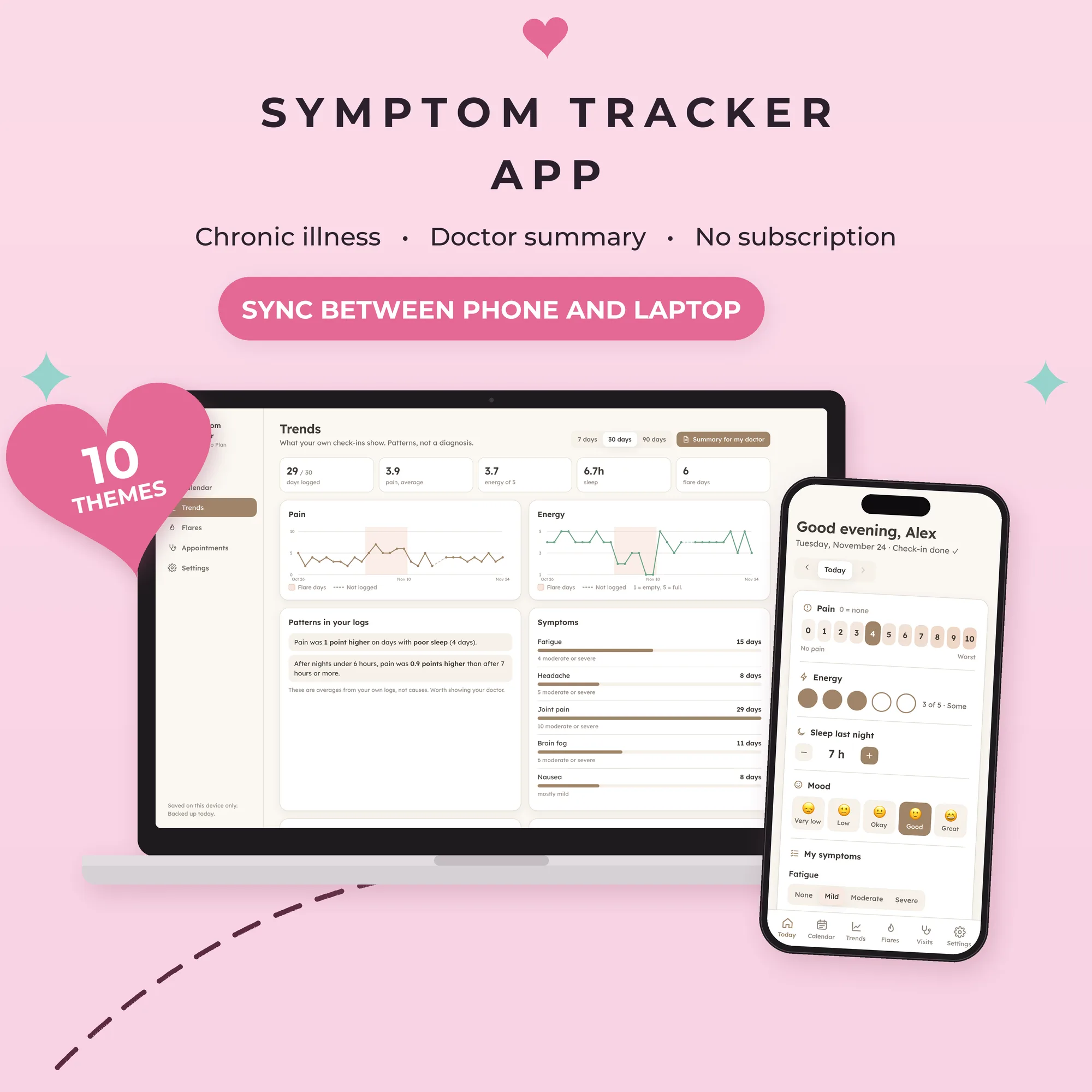
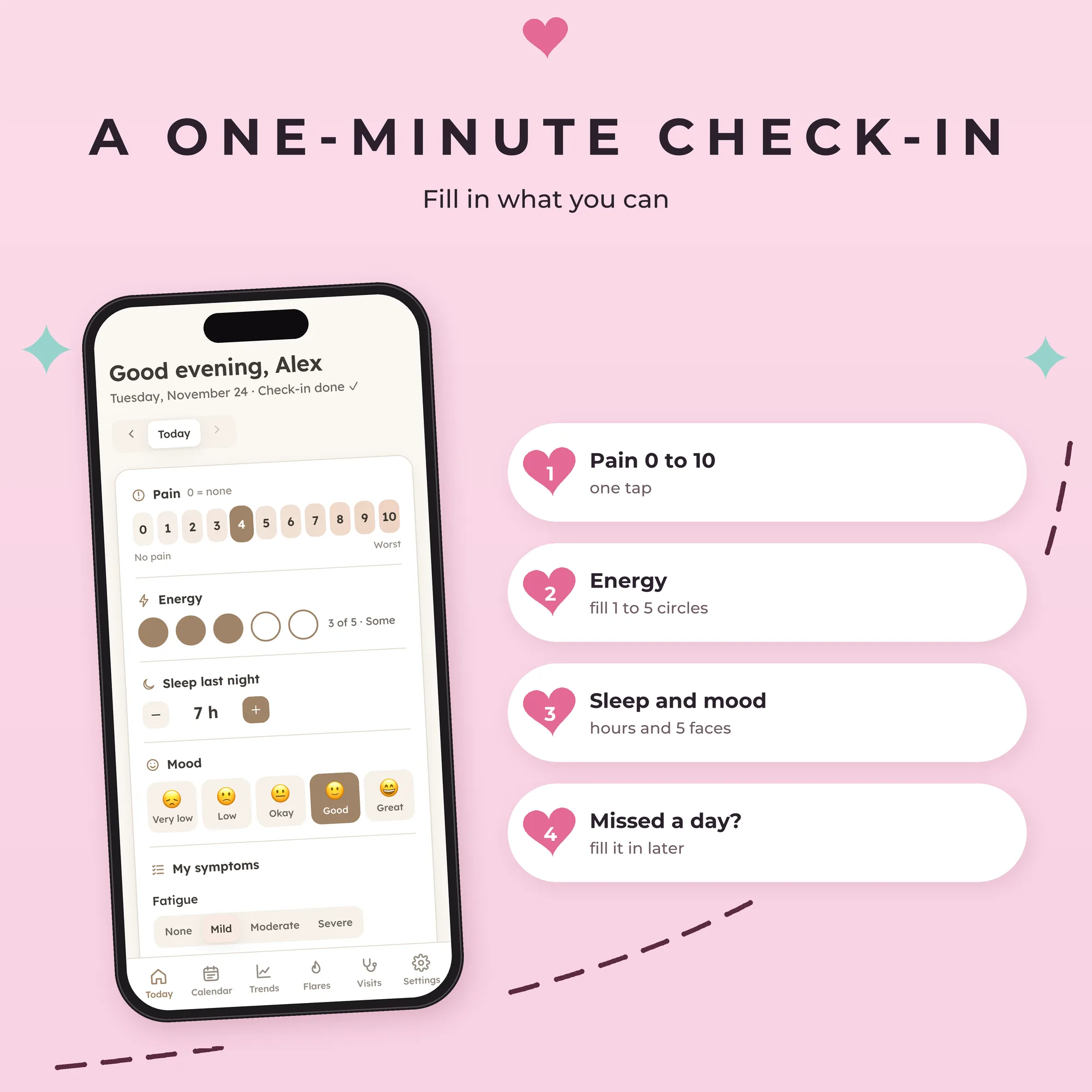
A symptom tracker app for chronic illness with a daily check-in that takes about a minute: pain, energy, sleep, mood, your own symptoms and your medication. It shows your month in color, finds patterns in your own logs, and makes a summary you can print or show at your appointment. It works offline on your phone and computer, has no subscription, and can sync between your devices if you want it to.
When the doctor asks “how have you been since last time?”, it’s hard to remember. This app keeps the answer for you: how many days you had each symptom, when the flares were, what helped, and how pain and energy went up and down.
It works for any long-term health condition, like endometriosis, fibromyalgia, MS, lupus, PCOS, EDS, rheumatoid arthritis, migraines or long-term fatigue. You choose what to follow.
📅 What’s inside
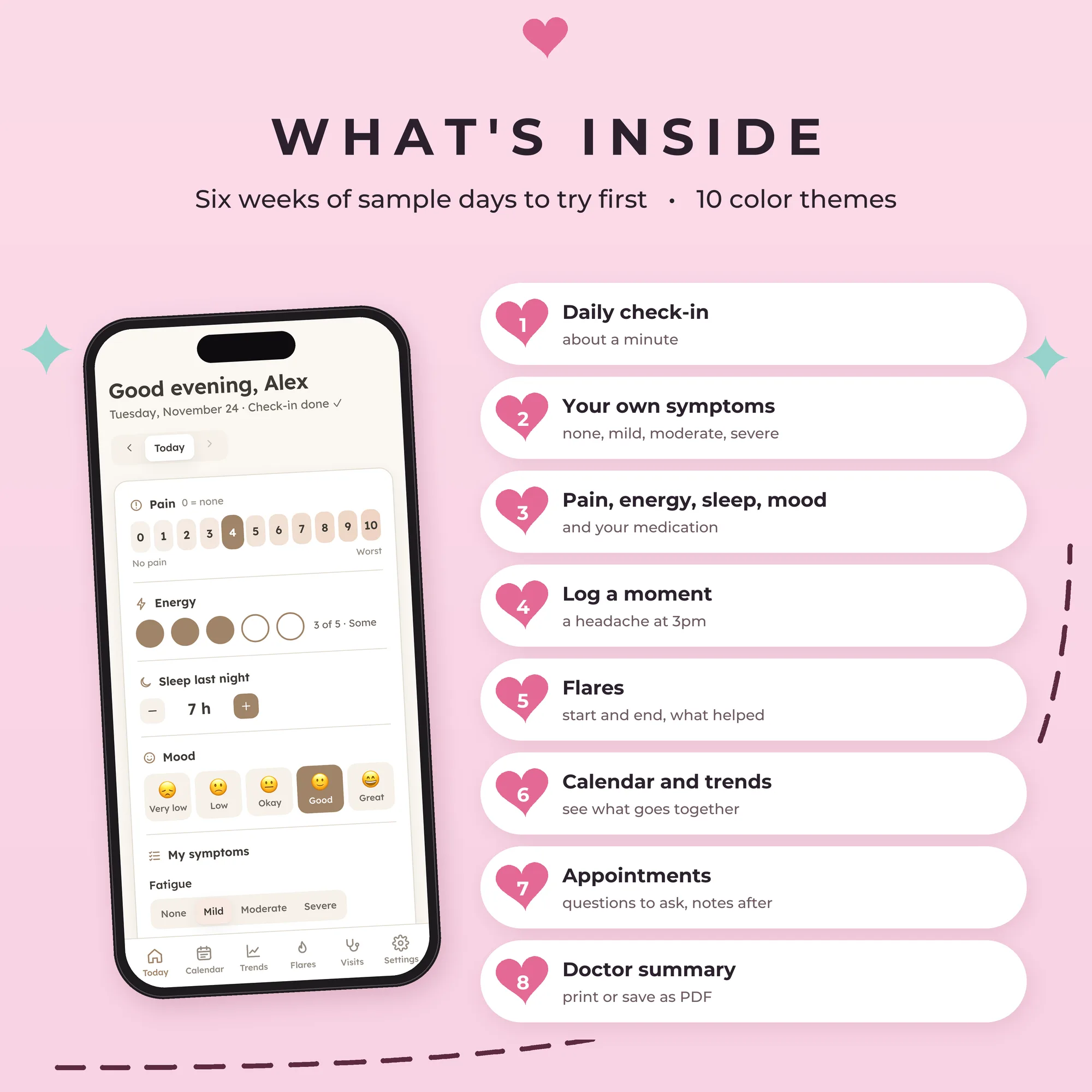
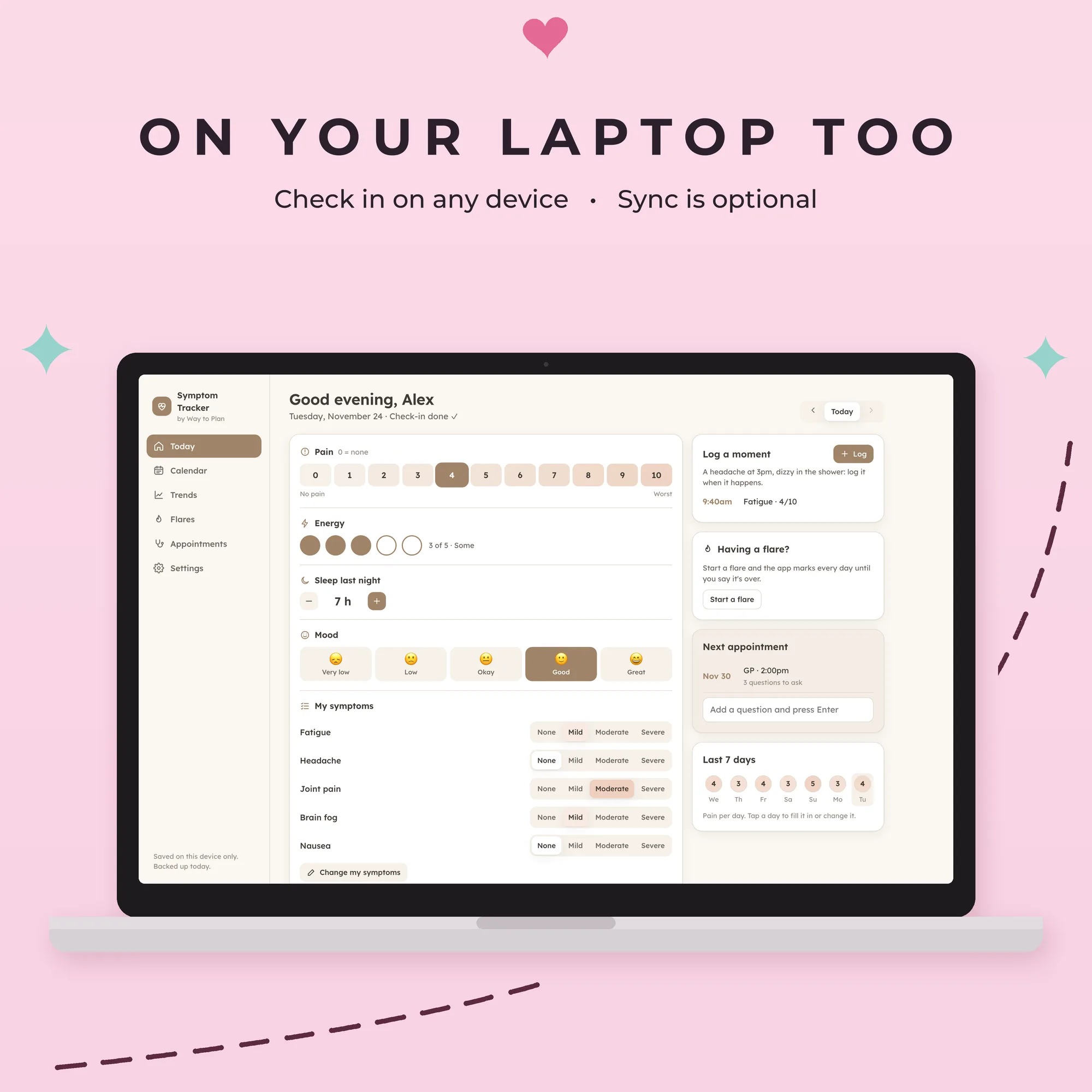
- Daily check-in: pain from 0 to 10, energy (fill 1 to 5 circles), hours of sleep, mood with 5 faces, and each of your symptoms as none, mild, moderate or severe. Fill in what you can, and fill in a missed day later
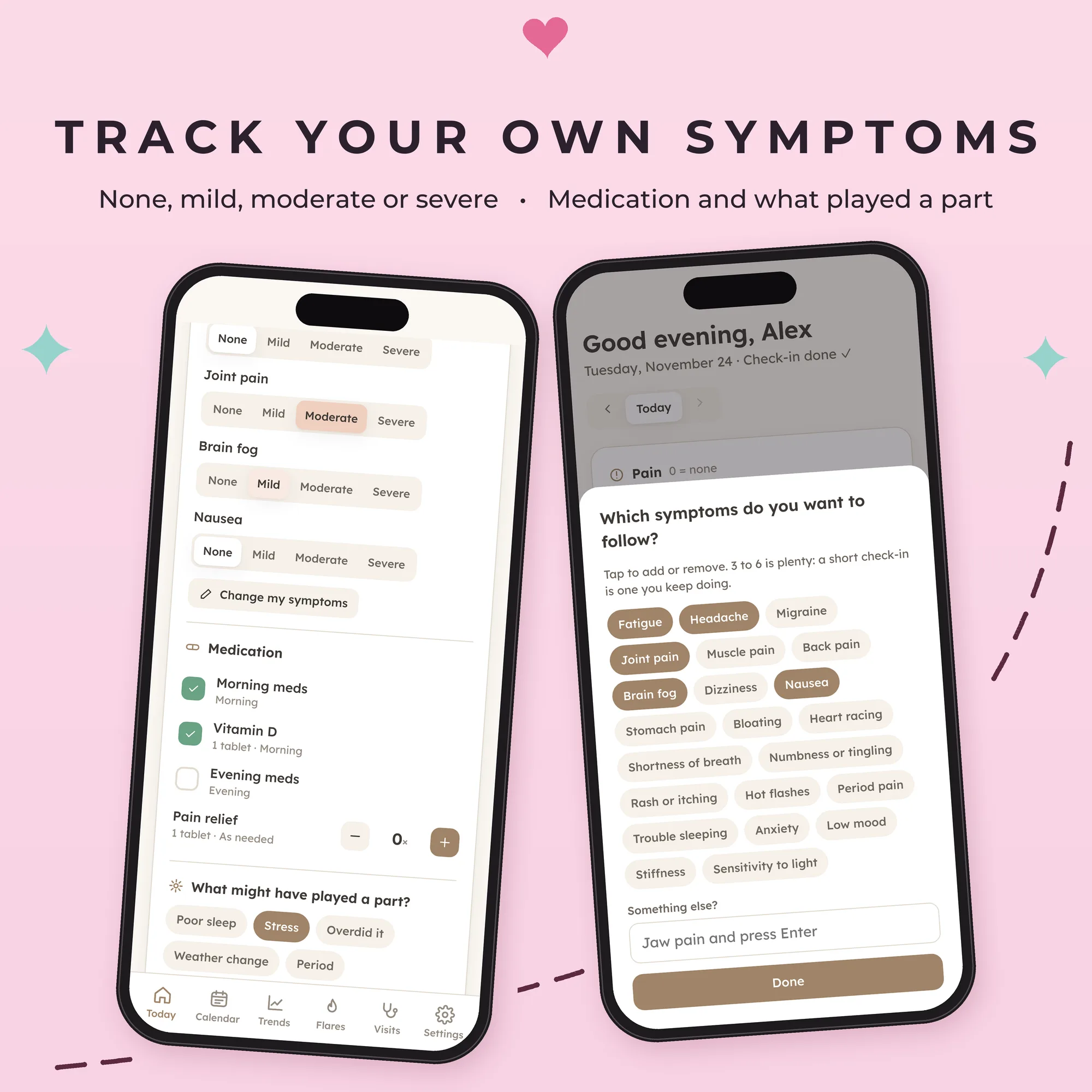
- Your own symptoms: pick them from 22 common ones like fatigue, headache, joint pain, brain fog, dizziness or nausea, or type your own
- Medication: check off your daily meds, and count the ones you take as needed
- What might have played a part: mark things like poor sleep, stress, overdid it, weather change or your period. Add your own
Show allShow less
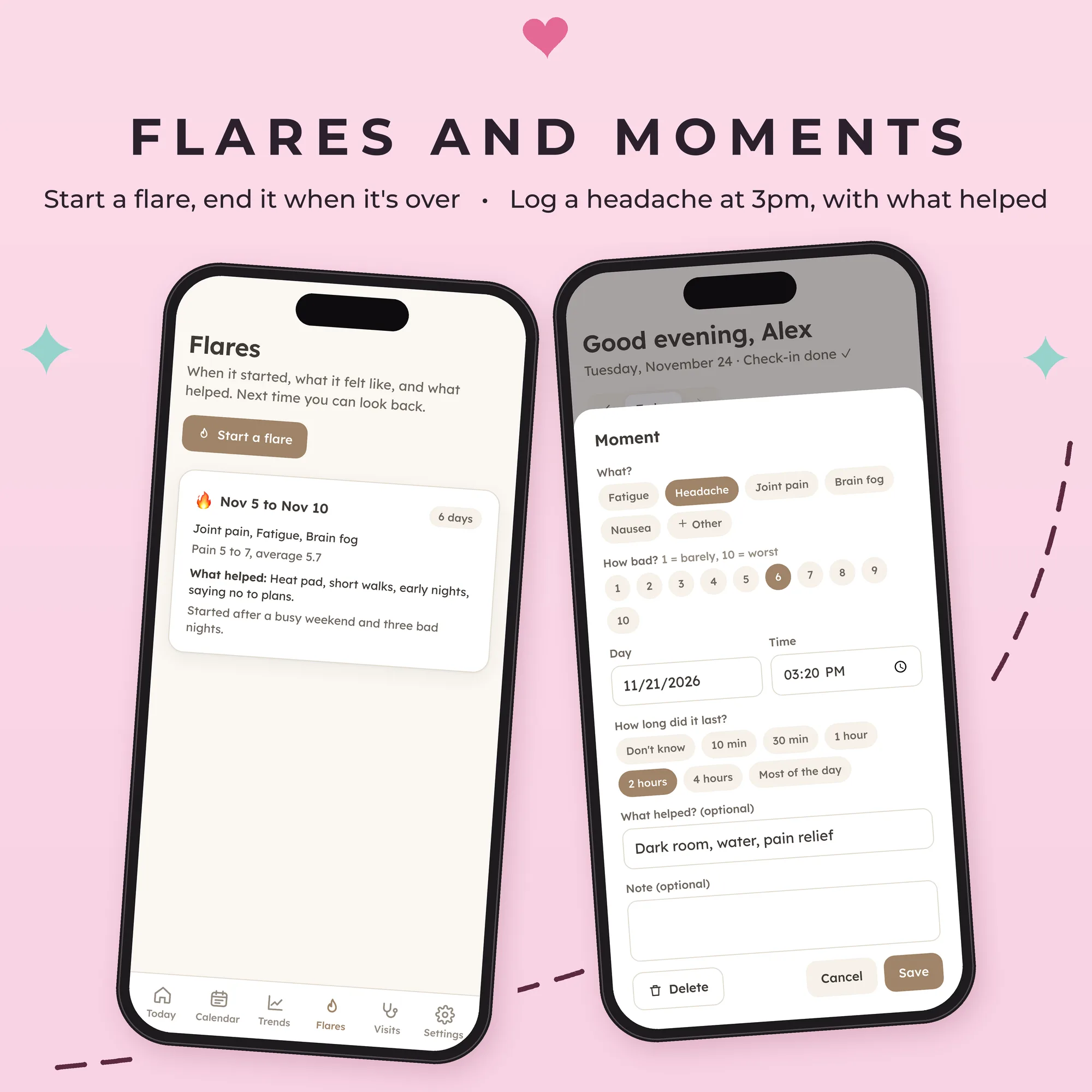
- Log a moment: a headache at 3pm, dizzy in the shower. Write down when, how bad, how long and what helped, or tap Other and type it
- Flares: tap Start a flare, and every day counts as a flare day until you tap My flare is over. Write down what helped, so you know what to try next time
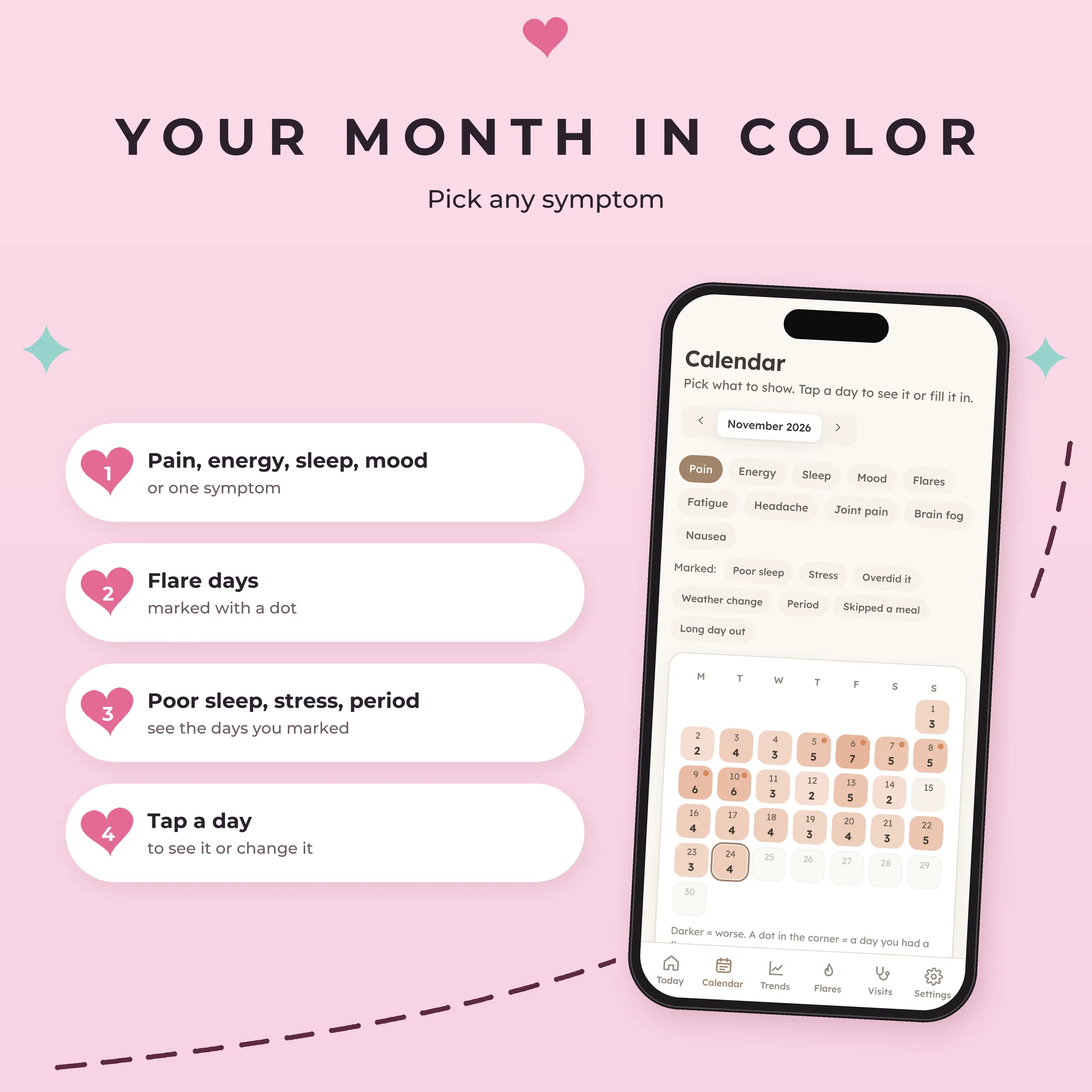
- Calendar: your month in color for pain, energy, sleep, mood, flares or one symptom. See the days you marked poor sleep or stress. Tap a day to change it
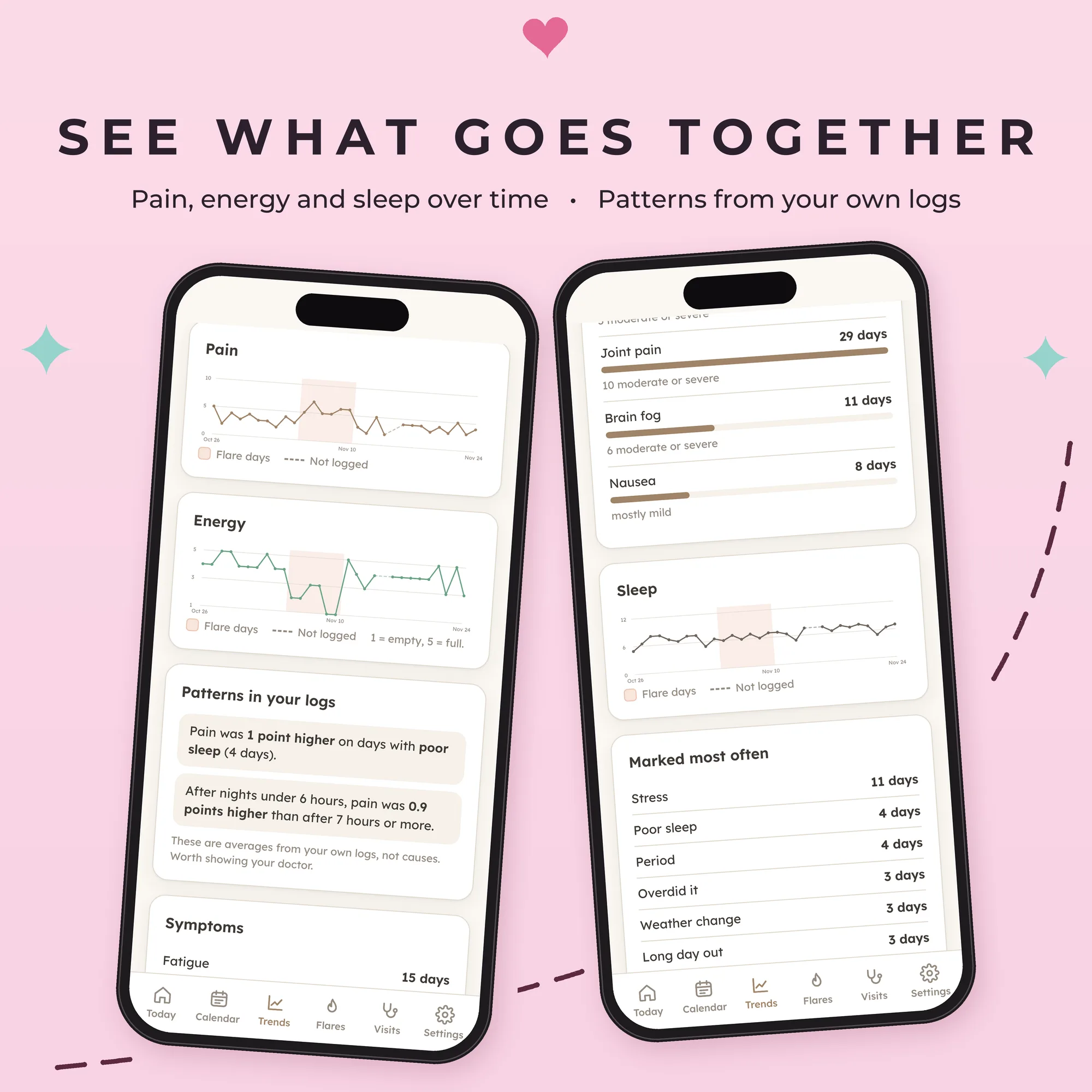
- Trends: pain, energy and sleep charts for 7, 30 or 90 days, with flare days shaded. Patterns from your own logs, like “Pain was 2 points higher on days with poor sleep”. Patterns, not a diagnosis
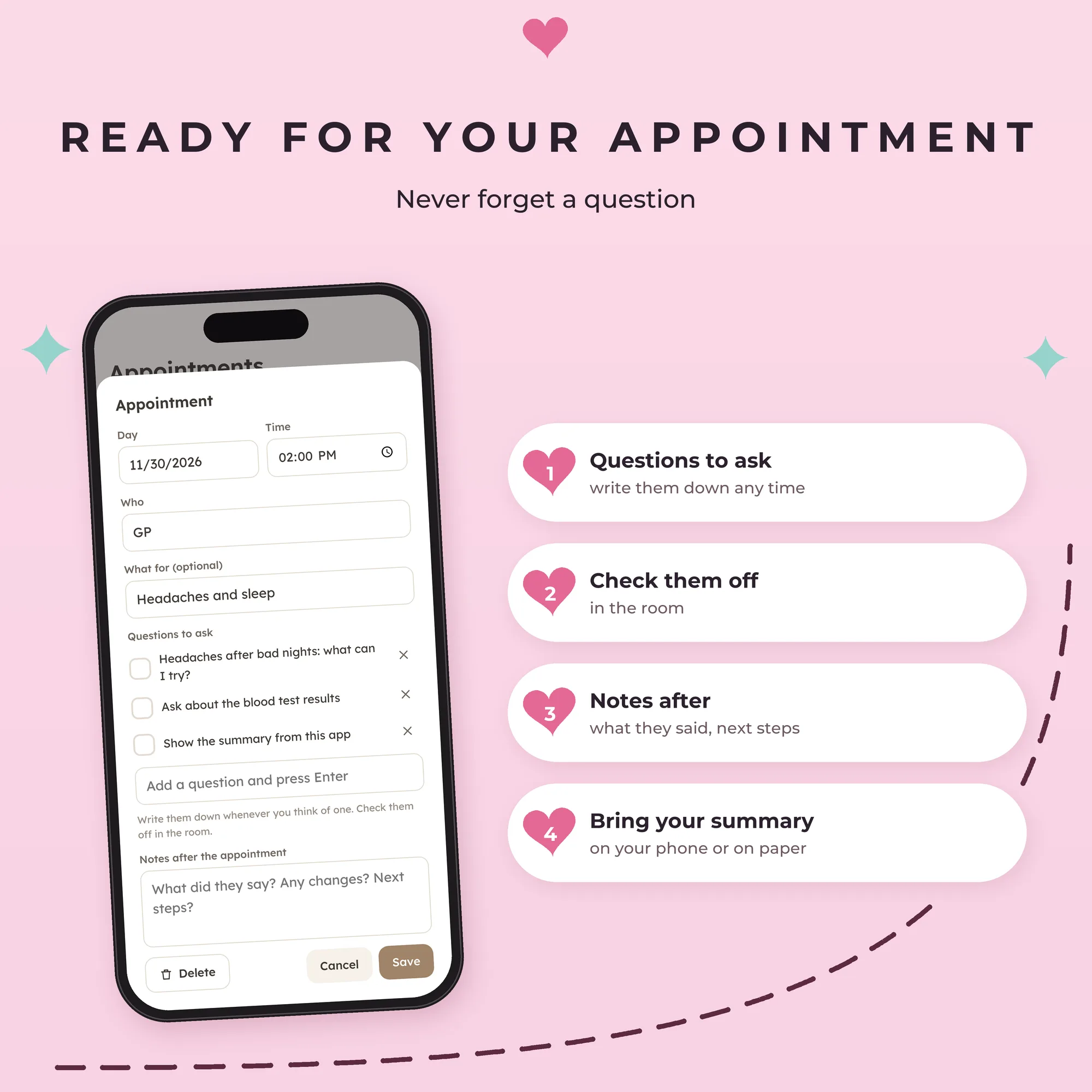
- Appointments: questions to ask, written down whenever you think of one and checked off in the room, and notes afterwards
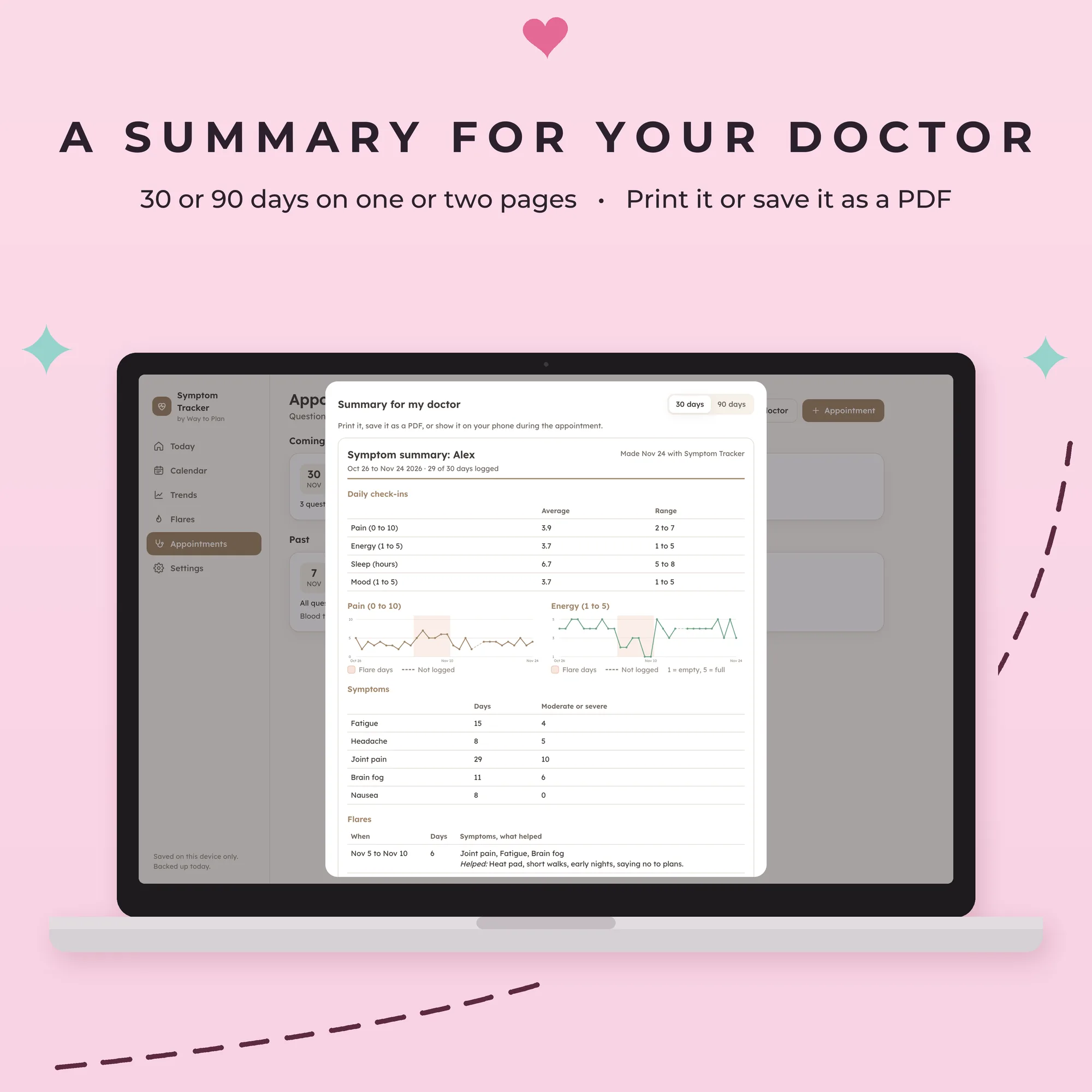
- Summary for my doctor: 30 or 90 days on one or two pages, with the pain and energy charts, symptom days, flares, moments, medication, patterns and your notes. Print it, save it as a PDF, or show it on your phone
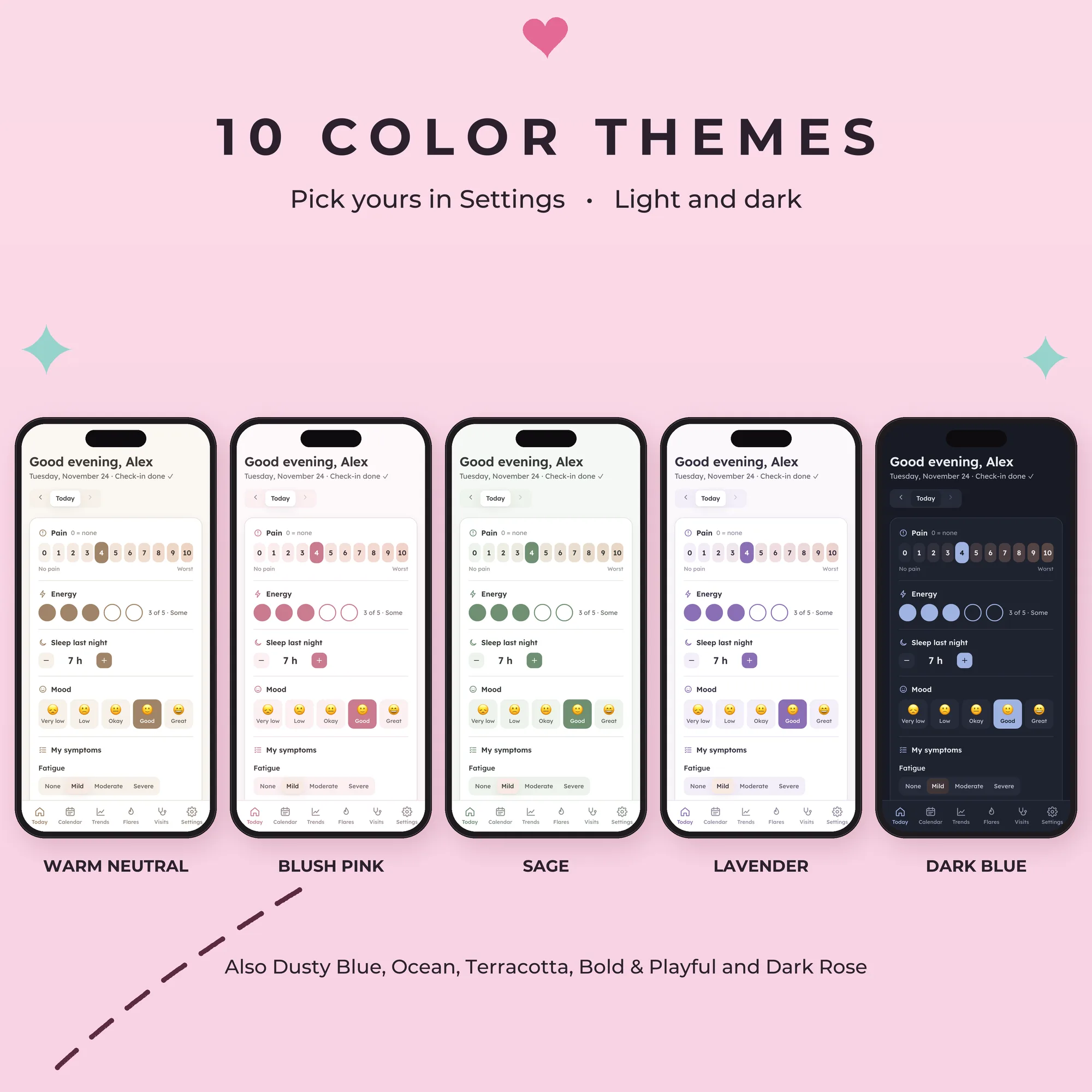
- Settings: your name, 12 or 24-hour times, 10 color themes (light and dark), sync, backup and restore
It starts with six weeks of sample days so you can look around first. Tap “Start my own” when you’re ready.
This app helps you keep track. It isn’t medical advice and doesn’t diagnose anything. If something feels urgent, call your local emergency number.
💗 How it works
- Complete your order and download the zip from your order email or My Account > Downloads.
- Open the PDF inside. It has your link, a QR code and your unlock code.
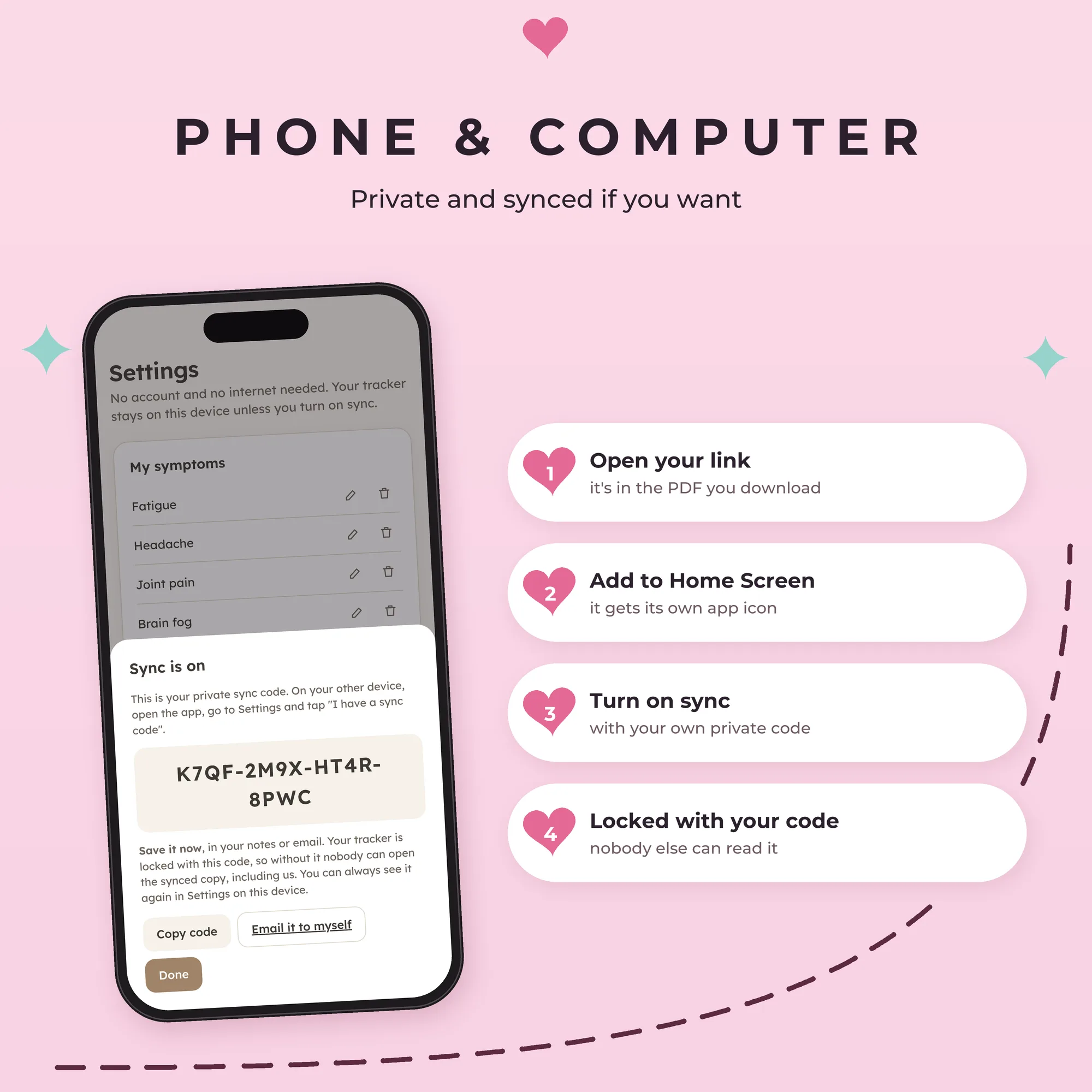
- On your phone, open the link and add it to your Home Screen. It gets its own icon and opens like an app.
- Enter your unlock code once on each device.
- Using a phone and a computer? Turn on sync in Settings and type your sync code on the other device.
The zip also has the symptom tracker as an HTML file, so you can use it on a computer without internet.
💡 Please note: where your tracker is saved
- Your check-ins are saved on the device you use, in that browser. Without sync they aren’t stored online, so we can’t get them back for you, and nobody else sees them.
- Sync is optional. When you turn it on, you get a private sync code. Your tracker is locked with that code before it leaves your device, so nobody else can read it, not even us. Keep the code somewhere safe: without it, the synced copy can’t be opened.
- The copy on a device can be wiped: clearing your browser history or website data, deleting the home screen icon, private browsing, or a lost or reset phone all delete it. Safari can also clear websites you haven’t opened for a few weeks; the home screen app is much safer.
- Please download a backup about once a month and keep the file somewhere safe, like your email or cloud storage. The app reminds you.
- Web apps can’t send reminders you can count on. Set one phone alarm a day for your check-in.
- On iPhone, add it to your Home Screen first and unlock it there, because that’s where it keeps your tracker.
✍️ Details
- Works in Safari, Chrome and Edge on iPhone, iPad, Android, Mac and Windows
- No account, no subscription
- Digital product: no physical item will be shipped. For personal use only; please don’t share your link or code.
Designed by Way to Plan with the help of AI tools. Every product is checked and tested before publishing.
In Waytoplan's own words. See it at Waytoplan