White Sea Studio
English
Watch review
Zany Pro
Higuera Producciones Higuera Producciones
Spanish
Markus Junnikkala
Audio Toolshed
Mix Artistry Official
Alonso Ararat
Folia Soundstudio
MixbusTV
Jorge SomBinário
Portuguese
Nueko Music Magazine
Italian
Read review
Produce Like A Pro
Music Marketing
2probeats
Audio Plugin Guy
Warp Academy
The full package – including smart:gate
Bundles
€399.00
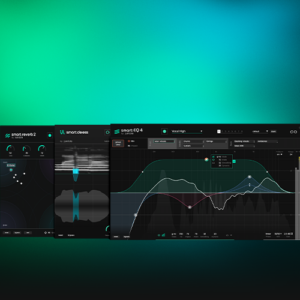
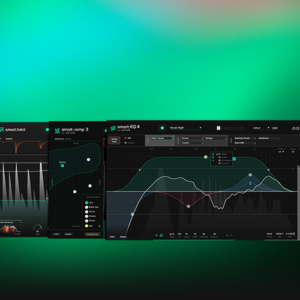
smart:bundle
Six intelligent audio plug-ins for EQ, compression, limiting, reverb, gating and de-essing. Speed up everyday mixing with cutting-edge processing.
Try
Add
€599.00
Studio Bundle
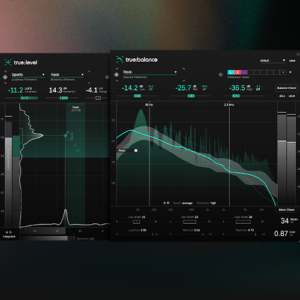
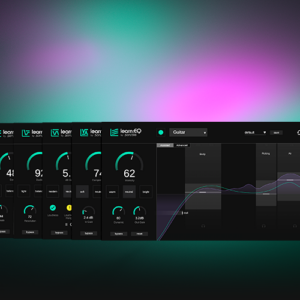
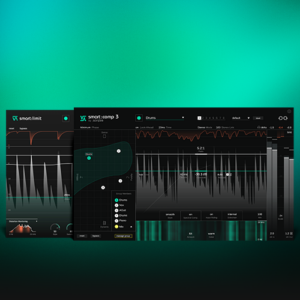
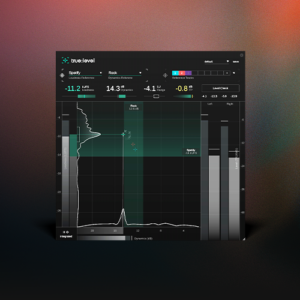
Complete sonible audio plug-in collection for mixing, mastering and metering. Get intelligent processing and specialist tools for your whole workflow. Save 54% by buying the bundle.
FAQ
Before you ask
Can I use smart:gate while recording or in live situations?
Since smart:gate detects the presence of a target source using a real-time neural network, the plug-in needs a short temporal context for the analysis. For this reason, smart:gate has a processing latency of about 80ms – which unfortunately precludes live use of the tool.
How can I use smart:gate as a conventional, level-driven gate?
While smart:gate’s special feature is its content-aware processing, the plug-in can also be used as a conventional gate. If you select the “No Target” profile (this profile is pre-selected by default for every new instance), smart:gate works source-independently and reacts to the entire input signal.
So, to use smart:gate as a conventional, level-driven gate, select the “No Target” profile and set the Level Bias to its maximum value (100) to make sure that the the Activity Function (which serves as the control signal for the gating) actually follows the level of the input signal.
Is smart:gate's processing level-independent and what does the "Level Bias" do?
Unlike conventional gate plug-ins, smart:gate is not controlled by the overall level of the input signal, but by the activity of a selected target source.
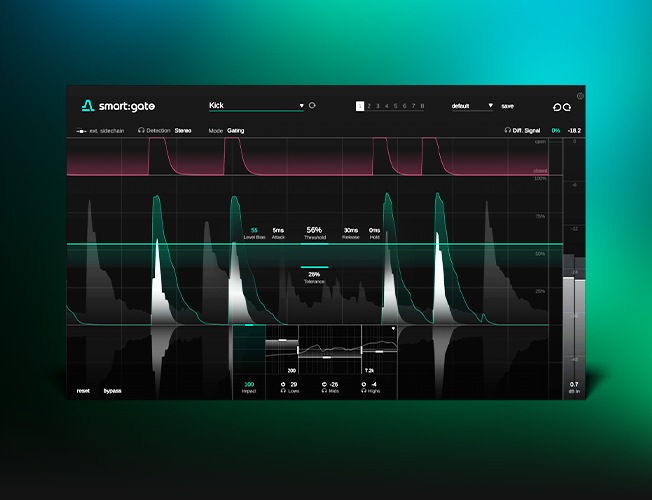
After selecting a profile, the green Activity Function (which serves as the control signal for the gating) only shows the activity of signal components belonging to the selected target source. This means that if no source has been detected, the Activity Function will remain at zero.
The Level Bias parameter allows to fine tune the shape of the Activity Function:
With a high level bias, the activity function follows the level of the target signal. So, the gate works level based – it opens or closes depending on the exact level of the target signal.
With a low level bias, the Activity Function displays high values as soon as a low level of the target signal has been detected. So the gate works more or less level-independent – it opens or closes as soon as a target signal is detected (no matter how quiet it is).
Why is there no learning button and no auto parametrization in smart:gate?
Unlike the other plug-ins in our “smart” series, smart:gate does not automatically set any parameters after selecting a profile. Instead, the plug-in switches to a content-aware processing mode in which it reacts only to the activity of a selected target signal.
The omission of the learning function is intended to improve the workflow when working with the intelligent plug-in – and the parametrization of the gate is deliberately left to the user. Thanks to the content-aware processing, the gating results are typically very stable and the exact parameterization ultimately depends mainly on the user’s taste anyway.
See all FAQs
“As a fellow plug-in developer, it is the first time in a long time I have bought something immediately. smart:gate is that good, that essential, and probably the best use of spectral AI I’ve seen in plugin integration. It has cleaned up my mixes and made more room for clarity than any other tool in recent years.”
– Reid Otto
Musician & audio engineer | Otto Audio
“I sincerely believe that sonible is a company that doesn't have one weak or bad product in their plug-in portfolio. Though I'm not a 'gating guy', I totally recommend this, and smart:gate will be my Go-to-gate from now on.”
– Paweł Uszyński
Sound designer & music producer, Reviewer | Folia Soundstudio
Related Blogposts
Dive deeper
Vocal Recording: What Can Go Wrong?
To minimize problems when recording, learn to avoid ten negatives that can occur when capturing vocals, voice or speech.
Read more
The Evolution of the Noise Gate Device
Take a look at how gate devices have changed, and how their uses have evolved over time.
How we made smart:gate
sonible's Alexander Wankhammer gives some insight into developing smart:gate – the training of its neural networks as well as the decisions process and challenges.
smart:gate User Guide
Get started with our content-aware plug-in smart:gate and learn how simple gating can be.
Working on a drum loop with smart:gate
Learn how to to separate a kick from a snare with our content-aware smart:gate plug-in.
Gating a vocal track with smart:gate
Our plug-in smart:gate helps to easily remove microphone rumble and bleed from vocal tracks. Check out the tutorial to find out how easy gating can be.
Features, specs & changelog
The core of your sound
Download Manual (PDF)
Key Features
Specs
Changelog
Automatic content-aware gating
Intelligent target-source detection
Instrument and sound Profiles
Gating based on source content rather than input level alone
Reliable processing even when competing signals are louder
Detailed target activity visualization
Instant Replay for parameter adjustment
Three-band impact control
Level Bias for transient-sensitive processing
External Sidechain based Ducking Mode
Plug-in Specifications
plug-in formats (Mac) VST, VST3, AU, AAX plug-in formats (Windows) VST, VST3, AAX supported sample rates 44.1 kHz to 192 kHz authorization machine-based or iLok (see FAQ) Apple Silicon support Native Latest version 1.0.1
System Requirements
PC Windows 10 (64 bit) Mac OSX 10.14+ RAM 4GB CPU Intel Core i5, Apple Silicon GPU OpenGL Version 3.2+ DAW List of tested DAWs
1.0.1
2024-02-07
- fixed stability issues in Cubase 13
1.0.0
2023-07-18