Mixbus TV
English
Watch review
White Sea Studio
Eric Kaufmann
spl Mixing
Claudio Meloni
Italian
Read review
Produce Like A Pro
Gearspace
Home Studio Simplified
Junya Watanbe
Japanese
Weiss Advice
Audio Toolshed
Warp Academy
Pro Audio
German
The full package – including true:balance
Bundles
DEAL
€99.00 Original price was: €99.00. €69.00 Current price is: €69.00.
Metering Bundle
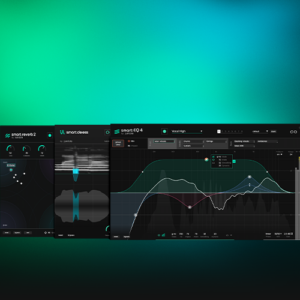
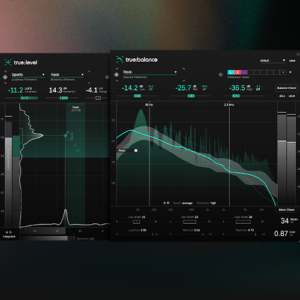
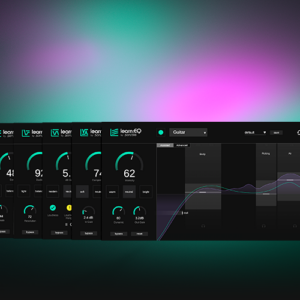
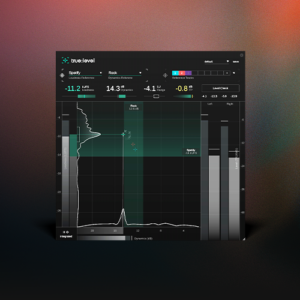
Loudness, dynamics and spectral balance metering for confident mix decisions. Check your sound against targets and references before release. Save 28% by buying the bundle.
Try
Add
€599.00
Studio Bundle
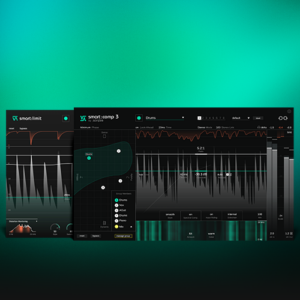
Complete sonible audio plug-in collection for mixing, mastering and metering. Get intelligent processing and specialist tools for your whole workflow. Save 54% by buying the bundle.
FAQ
Before you ask
What measurement value does the dB value for the low, mid and high frequency ranges represent?
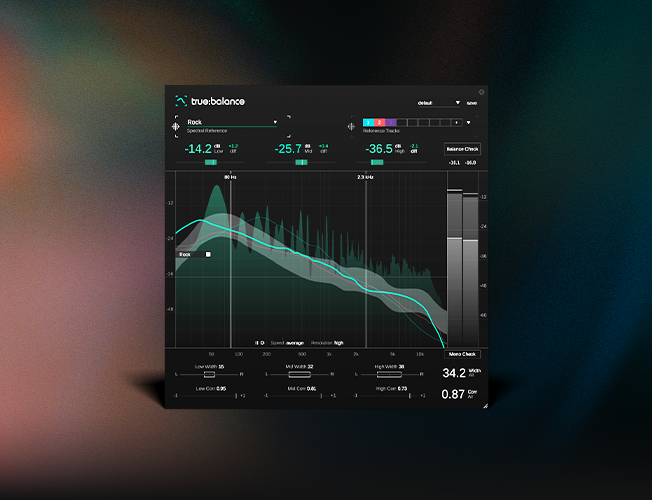
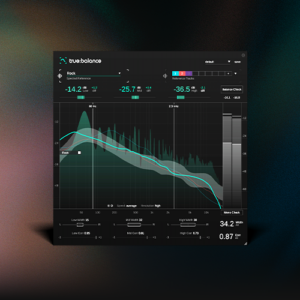
The dB value of each frequency range represents the average dB level measured within the respective range. The exact value is only relevant, if you want to use true:balance not only to measure the overall spectral shape or balance, but also the absolute signal level in a certain frequency ranges.
To set an absolute level reference, you can disable the “follow-mode” of the reference zone (click the small “A” on the left hand side of the reference zone). Once disabled, you can set a fixed level for the zone and compare a track against this absolute reference.
Why does the spectrum analyzer not measure a flat spectrum when feeding the plug-in with white noise?
To account for the human perception of levels in different frequencies, the analyzer uses a perceptually motivated frequency summing that leads to a bathtub-like distribution for pink noise and an upwards slope in high frequencies for white-noise-like signals. Narrow-band signals (e.g. sine waves) will have a constant level across all frequencies.
This weighting helps to better represent critical level differences as perceived by a mixing engineer.
What does the Mono Filter (yellow line visible when Mono Check is active) tell me about my signal?
While Mono Check is active, the filter caused by mono-summing will be displayed as an additional yellow line inside the spectrum display. A more or less static filter shape indicates that the mono-summing will lead to spectral problems (e.g. comb-filters), while a constantly varying filter shows that summing to mono will not lead to any static filtering effects.
You can observe the filter while making changes to your mix to monitor the impact on the mono compatibility of your track.
Why do the Level Check hints show other values than the “diff” values inside the main readout section?
The “diff” value shows the deviation from the center of the reference zone in the respective frequency range, while the Level Check hints show the deviation from the border to the reference zone. Therefore, the changes suggested by the Level Check hints are always a bit smaller than the displayed “diff” values.
What’s the difference between the speech references and the podcast reference?
While the speech references focus on recordings with one speaker (high or low speech), the podcast references is based on a mixture of low speech and high speech recordings (assuming multiple speakers).
See all FAQs
“If you’re not sure how your balance will be faithful to the genre and if you need to compare your current mix against your last mix for consistency – true:balance has got you.”
– Ed Thorne
Sound engineer, musician & reviewer | Ed Thorne Mixing & Mastering
“It’s clear to me that they thought about how to incorporate metering in a way that engineers could actually use it.”
– Matthew Weiss
Audio engineer | Weiss Sound
“What is special about this plug-in is that it’s quite applicable to both professionals and beginners.”
– Dash Glitch
Music producer & sound designer
Related Blogposts
Dive deeper
An Introduction to Mix Bus Processing
Discover the benefits of pre-master processing on your master output, and learn seven techniques you can try on your next mix.
Read more
How we do Spectral Processing at sonible
Today’s processors can handle more than just a multiband setup. This power allows us to make spectral processing in audio plug-ins the new standard.
The 9 rules of depth when mixing
Adding depth to a mix quite literally brings a new dimension to your virtual space. Here are nine things to keep in mind when you go ‘behind the music’.
Should you put reverb on bass frequencies?
Let’s finally answer the question that has plagued philosophers for centuries, in the light of modern music production technology.
What is Tonal Balance?
Learn how and why to balance your music across the frequency spectrum by analyzing tonal balance of different music genres and characteristics.
Taking Your First Steps into Mastering
Many are aware of the process of mastering a track; This article aims to unwrap the enigma that is mastering music, from what it is to what it does, and how to do it.
Features, specs & changelog
The core of your sound
Download Manual (PDF)
Key Features
Specs
Changelog
Real-time spectrum analyzer
Average spectrum display
Genre-based spectral references
Up to 8 custom reference tracks
Spectral target indicators
Stereo width monitoring
Stereo correlation monitoring
Mono compatibility analysis
Balance Check
Mono Check
Plug-in Specifications
plug-in formats (Mac) VST, VST3, AU, AAX plug-in formats (Windows) VST, VST3, AAX supported sample rates 44.1 kHz to 192 kHz authorization machine-based or iLok (see FAQ) Apple Silicon support native Latest version 1.0.5
System Requirements
PC Windows 10+ (64 bit) Mac MacOS 10.12+ RAM 4GB CPU Intel Core (i5), Apple Silicon GPU OpenGL Version 3.2+ DAW List of tested DAWs
1.0.5
2025-03-09
- fixed small offline analysis error in LF region
1.0.4
2024-02-06
- fixed stability issue in Cubase 13
- fixed inconsistent behaviour when switching integration speed
1.0.3
2023-06-15
- fixed internal state changes flooding Reaper’s undo history
1.0.2
2023-02-14
- added AAX Apple Silicon support
- added support for directories in preset list
- fixed normalization issue with reference track profiles
- minor improvements
1.0.1
2022-12-06
- added auto-reset-on-playback option
- Ableton Live: fixed unintentional filling of undo history by spectral reference parameter changes