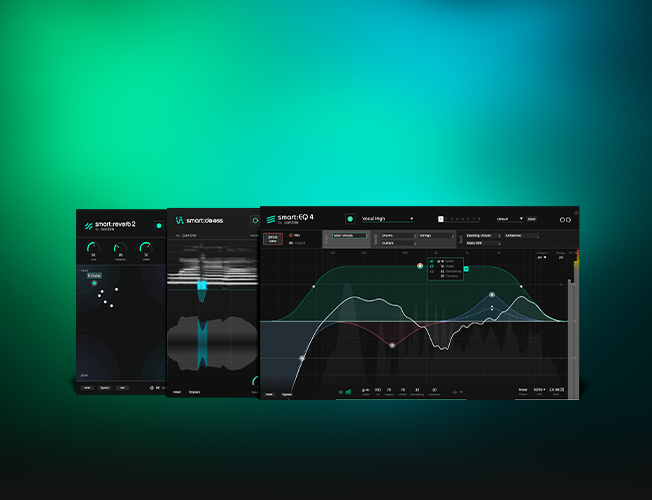
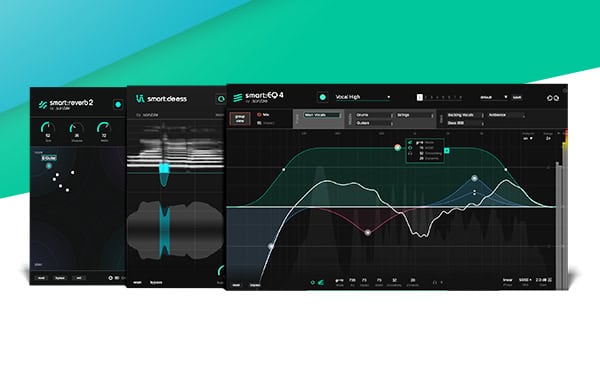
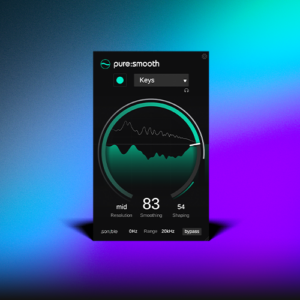
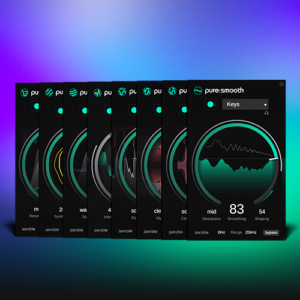
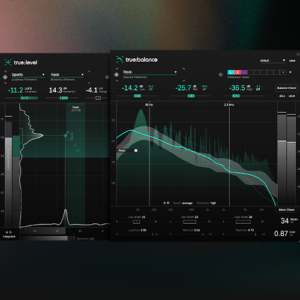
smart:deess analyzes your signal’s actual content – not just the level of one frequency band – before it decides what to do. As soon as you load the plugin on a channel, smart:deess builds a ‘voiceprint’ of the input voice signal and starts balancing any sibilants and plosives that are present. Your job then is to review the analysis and refine the results. smart:deess allows you to spend time on getting the sound you want, rather than correcting the sound you don’t want.
smart:reverb 2 – the content-aware reverb
Style your space
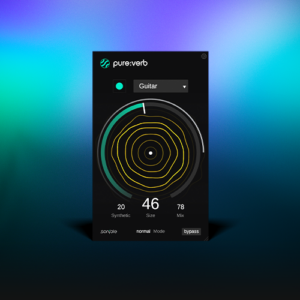
With smart:reverb 2, each space is tailored to your material — clean, dynamic, and tonally matched. The AI-powered processing works with the spectral characteristics of the input audio to deliver a space that doesn’t sound harsh or overcooked, and resonates in all the right places. Explore and shape your reverb effects with a powerful but simple visual reverb matrix.
Whether you’re after natural realism or creative flair, smart:reverb 2 puts flexible reverb character at your fingertips. This intelligent reverb plug-in is also designed for use on multiple tracks within a project: With different smart:reverb instances in the same group, the cross-channel processing will manage overlapping frequencies for a spatially coherent and uncluttered mix.
Included Products
3 plug-ins worth €387.00 for €249.00 — you save €138.00
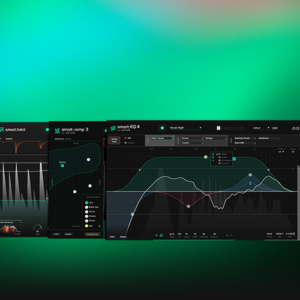
- smart:EQ 4 Within seconds, our flagship equalizer analyzes your audio and balances frequencies automatically. Clean up tracks, shape tone and create a spacious mix faster.Included in the bundle — €129.00 if bought separately
- Try
You already own this plug-in
Complete your collection on My Deals
- smart:deess Where other de-essers just reduce volume, smart:deess automatically detects and reduces harsh sibilance with precision. Get smooth, natural vocals without tedious frequency hunting.Included in the bundle — €129.00 if bought separately
- smart:reverb 2 Our AI-powered reverb creates spaces tailored to your audio. Shape depth, width and character intuitively while keeping your mix clean.Included in the bundle — €129.00 if bought separately
Mixbus TV
English
Watch review
White Sea Studio
Folia Soundstudio
Audio Toolshed
Recording Blog
German
Audiofanzine
French
Eric Kaufmann
Spanish
Oli Beaudoin
Crossbeats Music Production
Reaper Brasil
Portuguese
FAQ
Before you ask
Does smart:deess have a processing latency?
Yes. As smart:deess uses a neural network to identify different phonemes, the plug-in needs a look ahead of approximately 70ms to perform this real-time detection. That means that the plug-in cannot be used in live situations when zero-latency processing is needed.
Why does smart:deess need to analyze the signal before processing it?
When de-essing, smart:deess analyzes the signal’s actual content – not just the level of one or multiple frequency bands – to make decisions. Since each person has their own voice characteristics, smart:deess asks you to playback some audio to learn a short vocal fingerprint. This vocal fingerprint – we also call it voiceprint – is like a fingerprint of the vocal characteristics of the analyzed person. Once a voice has been analyzed, smart:deess adapts its internal processing to match the observed characteristics.
When working with a new speaker or singer, you should therefore always re-analyze the signal to make sure that the processing adapts accordingly.
How can I change the learning time for smart:EQ 4?
During the learning time, smart:EQ 4 listens to your audio signal to compute a smart:filter. The minimum learning time is 6 seconds (of active audio). Per default, the smart:filter is automatically computed when this minimum learning time is over.
If you want smart:EQ 4 to optionally listen for a longer period of time to your signal, you can choose a longer maximum learning time on the settings page. If a maximum learning time larger than 6 seconds is set, you can either retrieve your result at any time after the minimum learning time has expired (by clicking the ”Get result” button) – or you can wait until the maximum learning time has expired.
Hint: Longer learning times can help to give smart:EQ 4 a „bigger picture” of the overall signal. You can also pause learning and jump to another section to continue learning from there.
What are the three different modes of the smart:filter doing?
Depending on its mode, the smart:filter either only tries to fix imbalances of the current track or it also takes potential masking problems with other tracks into account (when part of a group).
In track & group (tr+gr) mode, the smart:filter looks at spectral imbalances of the current track as well as potential masking problems with other group members. This is the default mode for smart:EQ 4.
In track mode, the smart:filter only looks at spectral imbalances and problems of the current track. Potential masking problems with other group members are ignored. Even when the plug-in is a part of a group, you may want to use this mode if you do not want other tracks to have an impact on the sound of a certain track.
In group mode, the smart:filter only checks potential masking issues with other group members, but does not try to fix potential spectral imbalances of the track itself. Therefore, this mode only shows a filter curve if the plug-in is part of a group. You may want to use this mode if you want to stick to the overall sound of track and only want to embed it a bit smoother into a group of multiple tracks.
How is smart:reverb 2 meant to be used – insert or send?
The plug-in is primarily designed as an insert effect, particularly to make full use of the Distance parameter and Group Mode. Distance combines dry/wet balance with spatial coloration and gain compensation.
However, you can also use smart:reverb 2 on a send channel by activating Wet Mode, which disables the Distance control and outputs only the reverb signal.
What is the Reverb Matrix and how is it used?
Instead of using static presets, smart:reverb 2 offers a Reverb Matrix with four reverb types (Room, Hall, Plate, Spring) and their variants. This lets you intuitively explore and morph between different reverb textures. It’s designed for creative freedom – just drag your way through the matrix to find the sound that works.
See all FAQs
Give your vocals that extra spark
“smart:EQ is one of those plugins I genuinely can’t live without anymore. I use it on pretty much every track or bus.”
– Ilian BluestoneMusic producer & DJ
“This is by far the best de-esser plug-in. Everyone knows what a pain it is sometimes to solve this problem. Especially with German vocals. And there are only a few plug-ins that are really usable. But smart:deess has raised the bar.”
– Patrik MajerProducer, engineer & mixer
smart:reverb 2 continues to demonstrate sonible’s ability to completely rethink the things that we, as producers, didn’t realise needed rethinking.
– Phil PendleburyMusic Producer
New Methods for Creating Depth Across a Mix: 4 Examples with smart:reverb 2
Discover new ways to add depth to your mix using smart:reverb 2 and its innovative mechanics like the Distance control.
Read more
Vocal Recording: What Can Go Wrong?
To minimize problems when recording, learn to avoid ten negatives that can occur when capturing vocals, voice or speech.
Pro Vocal Compression, Dynamics and Balance – Step by Step
Listen as we take a vocal channel from basic recording to professional standard, and explain the process as we move through every step.
14 Tips and Techniques for Mixing Vocals – From Basic to Advanced
We’ve compiled this article to list a variety of techniques for getting a better vocal sound to help producers at all levels.
15 Devices you Might Need in Your Vocal Chain and Why
Every vocalist is different, every producer is different, so here are the effects you’ll want to consider when mixing the perfect vocal.
Taming harsh vocals with smart:deess
Tame those harsh sibilants in vocal recordings with ease – we show you how smart:deess gets the job done.
Features, specs & changelog
The core of your sound
Download Manual (PDF)
Key Features
Specs
- smart:EQ 4 for spectral balance in vocal tracks
- smart:deess for sibilance and plosive control
- smart:reverb 2 for adding space and depth
- AI-powered vocal processing
- Automatic spectral balancing, de-essing and source-adaptive reverb
- Detailed manual control
- Vocal cleanup, shaping and enhancement
- Faster workflows for polished vocal and speech recordings
- For lead vocals, backing vocals, ad-libs, podcasts, ADR and dialog
Plug-in Specifications
plug-in formats (Mac) VST3, AU, AAX plug-in formats (Windows) VST3, AAX supported sample rates 44.1 kHz to 192 kHz authorization machine-based or iLok (see FAQ) Apple Silicon support Native
System Requirements
PC Windows 10 (64 bit) Mac OSX 10.14+ RAM 4GB CPU Intel Core (i5), Apple Silicon GPU OpenGL Version 3.2+ DAW List of tested DAWs